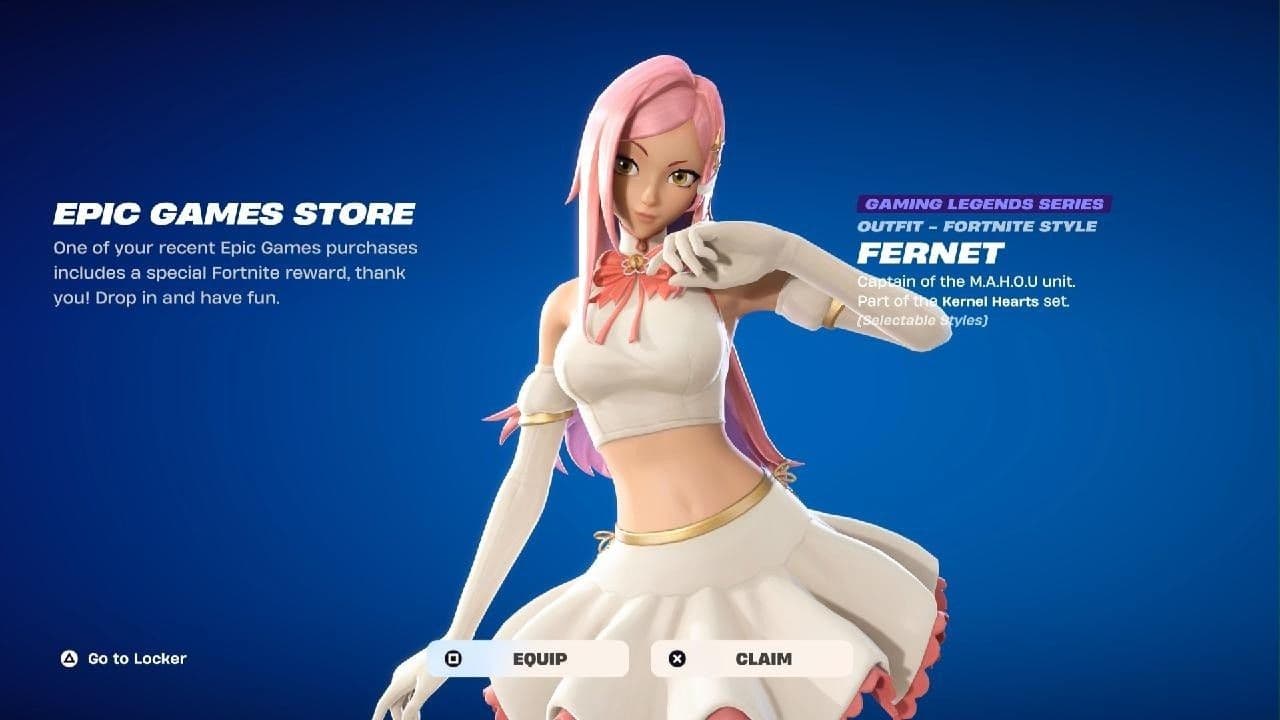

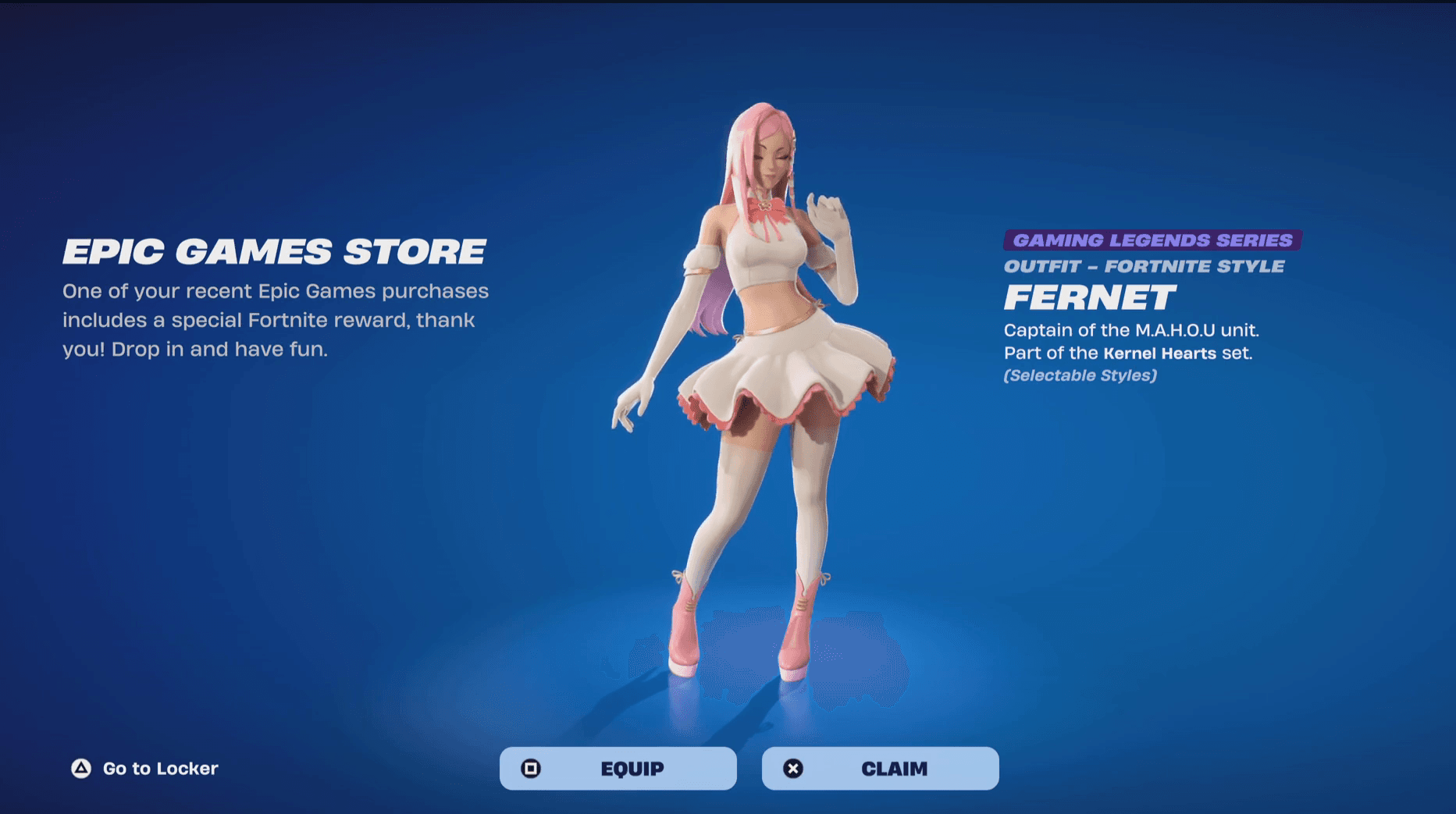
The Kernel Hearts Fernet skin is one of the more interesting Fortnite collabs to land during the Gaming Legends season. You can grab it without spending a single V-Buck if you're willing to pick up the game it comes from, or wait for the Item Shop drop if you'd rather pay the direct route. Either way, the skin ends up in your locker. Here's exactly how both methods work.
How to get the Kernel Hearts Fernet skin for free
The free method ties the skin to a game purchase. Kernel Hearts is available on the Epic Games Store for $19.99, and buying or pre-ordering it before the game's September 17, 2026 release grants you the Fernet outfit automatically in your Fortnite locker.
Here's the step-by-step process:
- Open the Epic Games Store through the desktop app or in a browser.
- Search for Kernel Hearts in the search bar.
- Select the Kernel Hearts game listing from the results.
- Pre-purchase or purchase the game for $19.99.
- The Fernet skin will be added to your Fortnite locker immediately after purchase.
One thing worth noting about this version of Fernet: she looks noticeably different from her in-game appearance in Kernel Hearts. The Fortnite skin leans more glamorous, which seems like a deliberate design choice to help her fit alongside the other Gaming Legends season additions. Whether that's a plus or a minus is personal taste, but the skin itself is well-executed.

How to get the Fernet skin from the Fortnite Item Shop
Not interested in Kernel Hearts as a game? The Item Shop route skips the purchase entirely. Epic Games will add the Fernet skin to the Fortnite Item Shop on September 26, 2026, at 8 PM ET, priced at 1,500 V-Bucks.
This follows the same pattern as other recent Gaming Legends collabs, similar to how the Phantom Blade Zero skin handled its release window. The free pre-order method comes first, then the Item Shop listing follows roughly a week or two after launch.
To purchase from the Item Shop:
- Launch Fortnite and navigate to the Item Shop.
- Browse the sections until you find the Kernel Hearts Fernet skin (1,500 V-Bucks).
- Select the skin and hold down the Purchase button to confirm.
- Head to your locker to equip it.
Fortnite's Gaming Legends season has been stacking up collab skins at a solid pace. If you're building out your locker during this run, check the full Fortnite guides collection for breakdowns on every skin drop this season, including free methods for the ones that have them.