
Ragdoll Playground codes 30KTHANKS! and RELEASE give you free powers, a Crate Spin, and a rainbow skin through the shop’s codes tab.
This Roblox sandbox gives you plenty of ways to torment a dummy, including chainsaws, lava, and supernatural powers. Codes add more options to your collection without making you earn every reward through regular play. Below, you’ll find the priority codes, the exact buttons needed to redeem them, and troubleshooting steps for failed claims. There’s also a short controls reference so you can get back to experimenting once the rewards are collected.
Which Ragdoll Playground codes should you redeem first?
Start with 30KTHANKS! and RELEASE. As of November 4, 2026, these are the priority codes to enter before returning to the sandbox.
| Code | Reward | Why redeem it? |
|---|---|---|
| 30KTHANKS! | Almighty Push Power, Gravity Flip Power, and 1 Crate Spin | Adds two powers and a spin in one claim |
| RELEASE | A rainbow skin | Adds another cosmetic option for your dummy |
30KTHANKS! is the stronger first claim if you want more powers to experiment with. It combines Almighty Push and Gravity Flip with a Crate Spin, making it the more varied reward bundle of the two.
RELEASE is still worth entering while you have the redemption form open. Skins change your dummy’s appearance, giving you another look to use during experiments with weapons and hazards.


How do you redeem Ragdoll Playground codes?
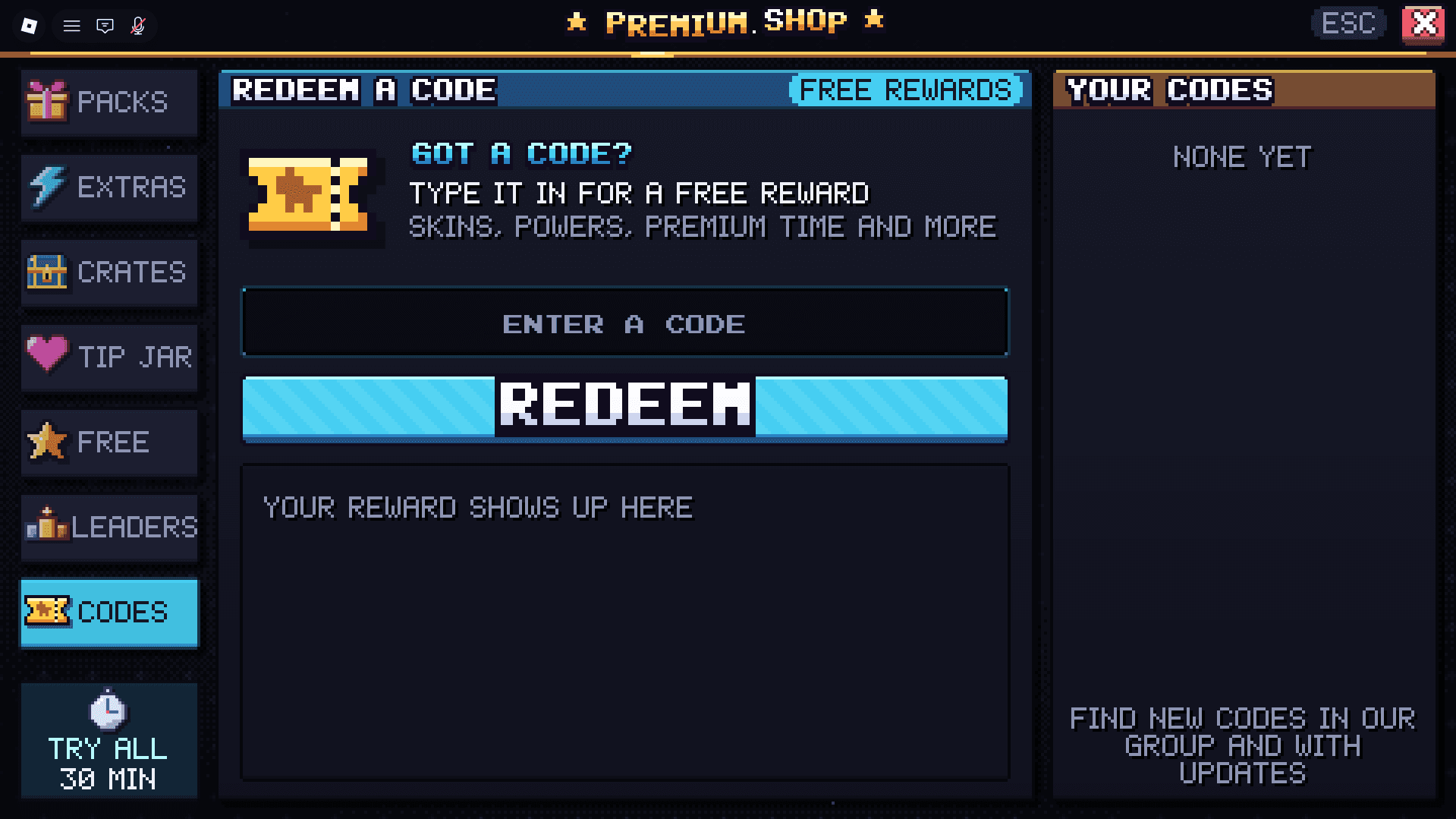
The redemption route is SHOP → CODES → ENTER A CODE → REDEEM. You enter each code separately through the shop, rather than typing it into chat.
Find the shop button
Launch Ragdoll Playground and look near the lower-right corner for the rainbow SHOP button. Select it to open the shop.
Open the codes tab
Inside the shop, select the CODES tab on the left. The tab uses a ticket icon and opens the code-entry form.
Enter and redeem each code
Select the ENTER A CODE field, paste 30KTHANKS!, and press REDEEM. Repeat the process with RELEASE to collect its skin reward.
Before pressing REDEEM, check both ends of the text field for accidental spaces. Copying the code exactly is the easiest way to avoid a capitalization or punctuation mistake.
Ragdoll Playground Codes for November 2026
What can you do after claiming your rewards?
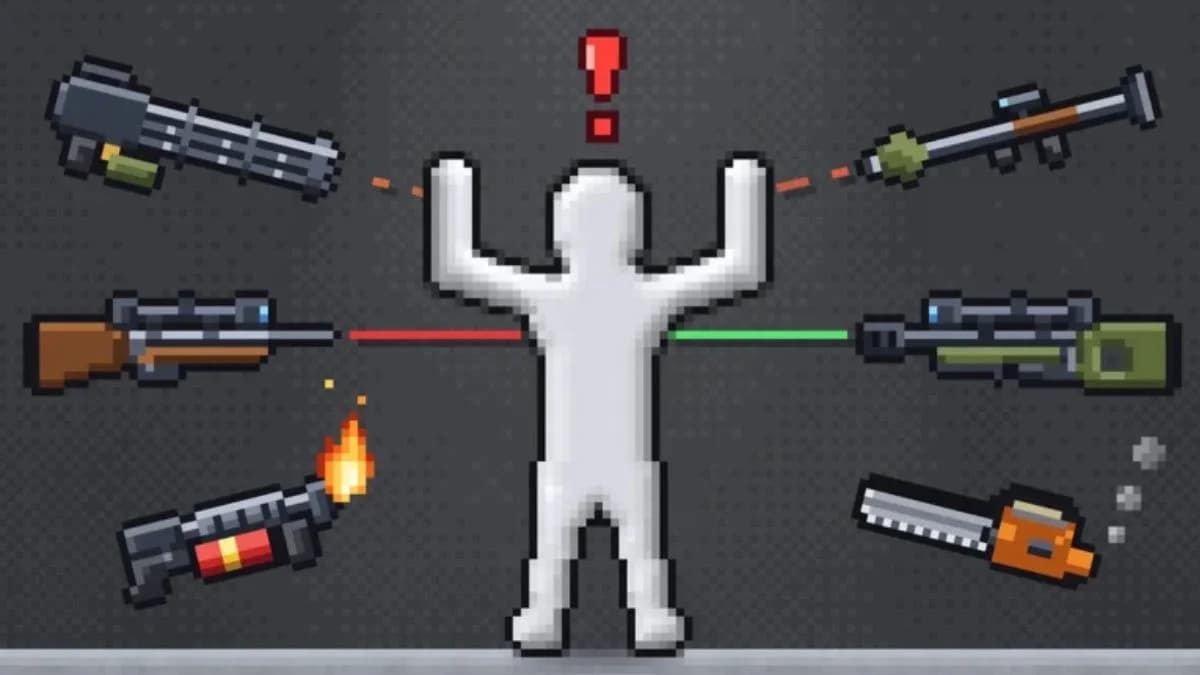
Ragdoll Playground is a 2D physics sandbox built around manipulating dummies, objects, and creatures. Its tools include guns, swords, chainsaws, bombs, and nukes, while hazards include fire, lava, black holes, tornadoes, and meteors.
The Almighty Push and Gravity Flip rewards add powers to that collection. Once you’ve finished redeeming codes, these controls help you observe experiments and clean up afterward.
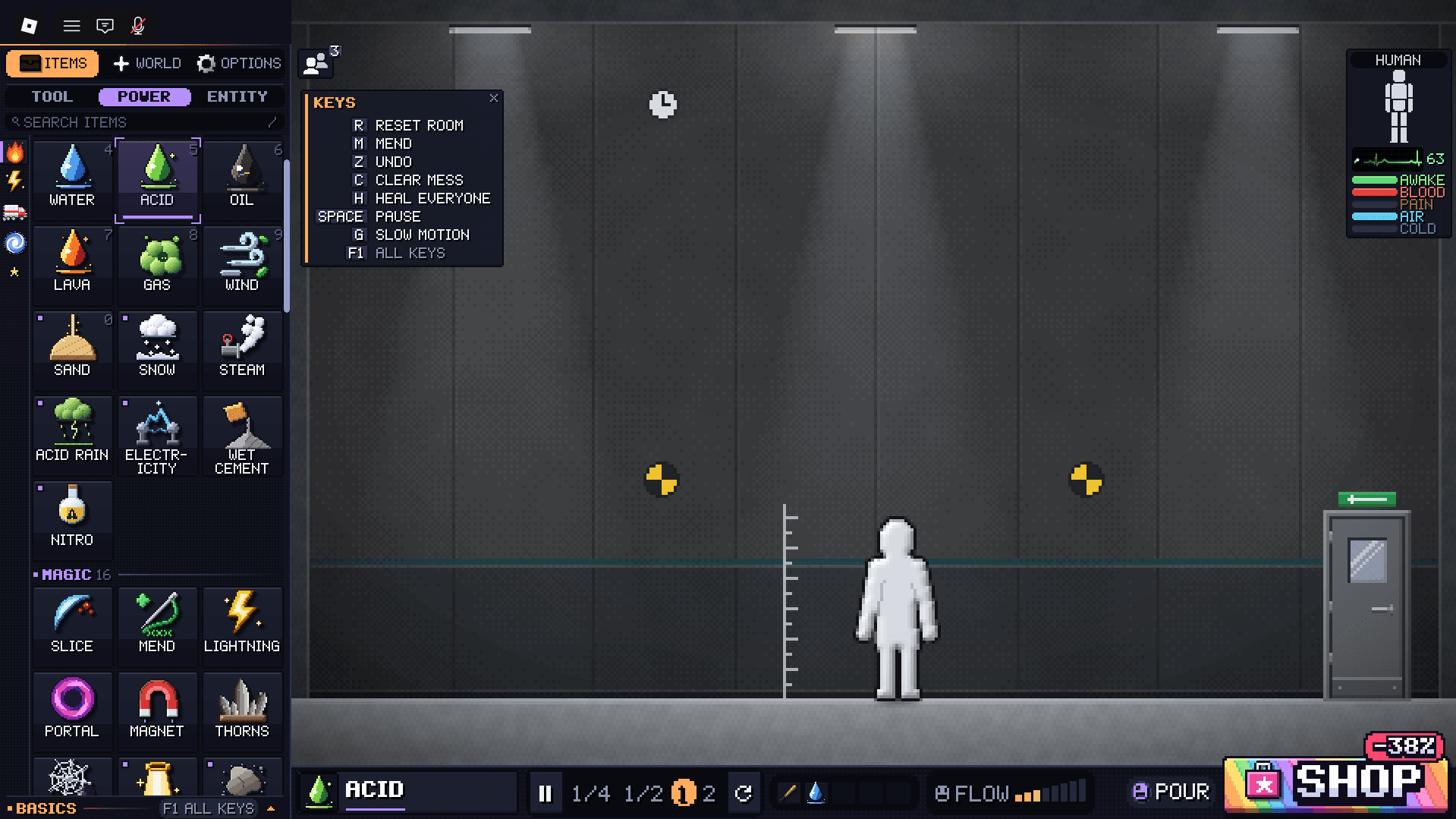
Ragdoll Playground Codes for November 2026
Which sandbox controls are useful?
| Input | Action | When to use it |
|---|---|---|
| Left mouse button | Grab and throw the dummy | Move the dummy around the room or into hazards |
| G | Activate slow motion | Watch explosions and dummy movement more closely |
| H | Heal everyone | Restore the room’s occupants after an experiment |
| R | Reset the room | Clear a messy setup and start again |
Slow motion is especially useful when testing bombs or other explosive hazards. Press G to get a closer look at how the blast affects the dummy, then use H to heal everyone or R to reset the room.
You can also spawn zombies, aliens, and skeletons, then experiment with their reactions to the dummy, fire, lava, or explosives. The sandbox gives you several subjects to work with beyond a single dummy.
If you’re collecting rewards for another game after Ragdoll Playground, the Fireworks Playground codes guide covers free coins and its redemption process.
Why isn’t your Ragdoll Playground code working?
A failed 30KTHANKS! claim is worth checking for typing mistakes before you give up. Missing punctuation, different capitalization, or extra spaces can stop a correctly entered code from being recognized.
Check the text and the game
Work through these checks before trying REDEEM again:
- Match the capitalization. Enter RELEASE in uppercase.
- Keep punctuation intact.30KTHANKS! ends with an exclamation mark.
- Remove extra spaces. Check before the first character and after the last.
- Check your previous claims. A code you’ve already redeemed may not award another reward.
- Confirm the game name. Open Ragdoll Playground, rather than another similarly named ragdoll game.
These checks address different problems. Correcting 30KTHANKS! won’t help if you’ve already claimed it, and an expired code won’t become redeemable just because its spelling is right.
Which older codes have expired?
These older Ragdoll Playground codes have expired:
- 5KTHANKS!
- 15KTHANKS
- 1MVISIT
If you’re working through an older saved list, move past those entries and prioritize 30KTHANKS! and RELEASE instead.
Codes for other Roblox games
All codes
Fix My Phone Codes for October 2026
Roblox Fireworks Playground Codes for October 2026
Kukirin Life Codes for October 2026
Rope Battles Codes for October 2026
Steel Fighters Codes for October 2026
Berry Avenue RP Codes for October 2026
Where can you find more Ragdoll Playground codes?
Developer Speedwagon Gaming Foundation shares Ragdoll Playground codes through the game’s official Discord server. Its dedicated codes channel is the most direct place to look for announcements, while the official Roblox group is another place to follow game updates.
When should you check for new codes?
Ragdoll Playground codes can arrive around updates, milestones, and events, with occasional bonus releases between them. 30KTHANKS! was added on October 31, 2026, following earlier milestone codes such as 15KTHANKS.
Checking the official codes channel after an update is more useful than repeatedly entering an expired code. Keep the spelling intact when you copy a new announcement, especially milestone codes containing punctuation.
If you also collect rewards outside Ragdoll Playground, the Junk Mechanics Roblox codes guide covers Cash and Premium Keys for that game.
For your next Ragdoll Playground session, claim 30KTHANKS! first, enter RELEASE, and return to the sandbox. Keep G, H, and R handy so you can watch the destruction, heal everyone, or clear the room when an experiment gets messy.