
This guide breaks down the best PC settings for Windrose, focusing on higher FPS, stable performance, and clean visuals. It covers Windows tweaks, NVIDIA and AMD settings, and the most effective in-game options in a simple, easy-to-follow format.
Windows Settings
These are the baseline tweaks to make sure the system isn’t holding back performance.
| Setting | Recommended Value |
|---|---|
| Power Mode | Balanced |
| Startup Apps | Disable unnecessary apps |
| Game Bar | Off |
| Capture/Recording | Off |
| Game Mode | On |
| Optimizations for Windowed Games | On |
| Hardware-Accelerated GPU Scheduling | On |

NVIDIA Settings (RTX GPUs)
Make sure drivers are updated before applying these.
| Setting | Recommended Value |
|---|---|
| DLSS Preset | Preset B (Frame Gen), Auto/Recommended for others |
| Low Latency Mode | On |
| Max Frame Rate | Refresh Rate - 3 (e.g. 237 for 240Hz) |
| V-Sync | On (Driver only, not in-game) |
| G-Sync | On (Fullscreen + Windowed) |
| Shader Cache Size | 10GB–100GB (if storage allows) |
| Resolution | Native |
| Refresh Rate | Max Available |
| Color Depth | 10-bit (if supported) |
| Digital Vibrance | ~55 |
AMD Radeon Settings
For AMD users, configure everything inside Radeon Software.
| Setting | Recommended Value |
|---|---|
| GPU Selection | Dedicated GPU |
| FSR Upscaling | Enabled |
| Frame Generation | Enabled |
| Radeon Chill | Refresh Rate - 3 (e.g. 167 for 170Hz) |
| Shader Cache Reset | Use if stuttering occurs |
| FreeSync | Enabled |
| Refresh Rate | Max Available |
In-Game Settings (Windrose)
Upscaling & FPS
| Setting | Recommended Value |
|---|---|
| Upscaler | DLSS (RTX) / FSR (AMD) |
| DLSS Mode | Quality / Balanced |
| FSR Mode | Quality |
| Frame Generation | On (if extra FPS needed) |
| Reflex | Enabled |
| V-Sync | Off |
| Frame Rate Limit | Unlimited (driver handles cap) |
| Sharpness | 20–30% |
Graphics Settings
| Setting | Recommended Value |
|---|---|
| Graphics Preset | Custom |
| Global Illumination | Medium |
| Shadows | Medium |
| Anti-Aliasing | Off (handled by DLSS/FSR) |
| View Distance | Medium (Lower if needed) |
| Textures | Based on VRAM (see below) |
| Effects | Low |
| Reflections | Low |
| Post-Processing | Low |
| Grass Draw Distance | Medium |
| Shader Quality | High |
Texture Guide (VRAM-Based):
| VRAM | Texture Setting |
|---|---|
| 6GB+ | Epic |
| 4GB | High |
| 3GB | Medium |
| Below 3GB | Low |
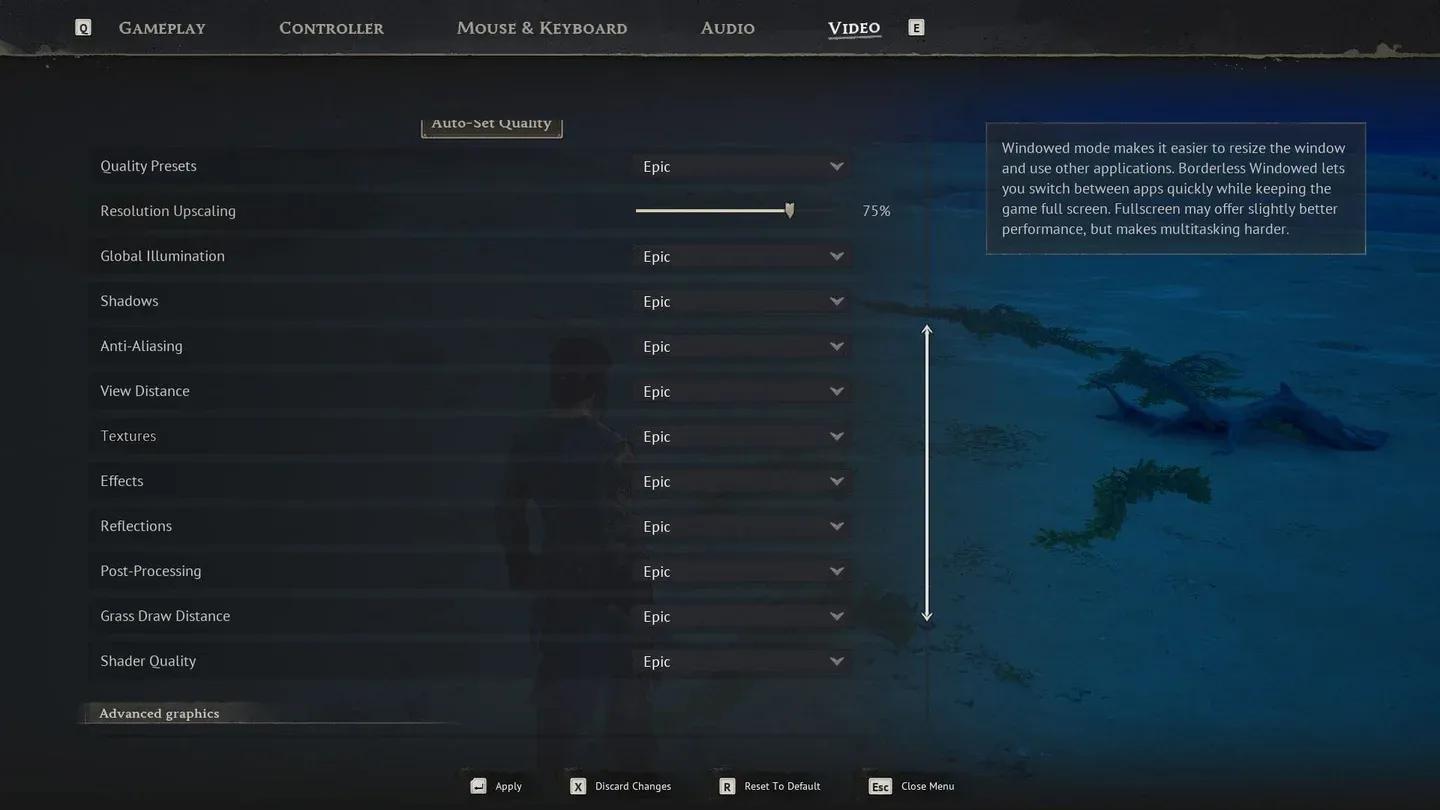
Windrose graphics settings menu
Advanced Settings
| Setting | Recommended Value |
|---|---|
| Motion Blur | Off |
| Lens Effects | Off |
| Dirt Effects | Off |
| FOV | Keep moderate (higher = lower FPS) |
Final Thoughts
These settings give a solid balance between performance and visuals in Windrose. Most FPS gains come from lowering heavy settings like reflections and post-processing, while DLSS or FSR handles image quality.
For anyone still refining their approach or looking for more game-specific guides, browse more guides at GAMES.GG to find additional optimization and gameplay content.