
Aniimo is a creature-catching RPG that treats your personal avatar with the same care it gives its creatures. The character creator runs surprisingly deep for the genre, covering everything from jawline sliders to iris patterns, and the choices you make carry through the entire game. Getting it right at the start saves you a Redesign Card later, so knowing what each option does before you commit is worth the few minutes it takes.
How does character creation work in Aniimo?
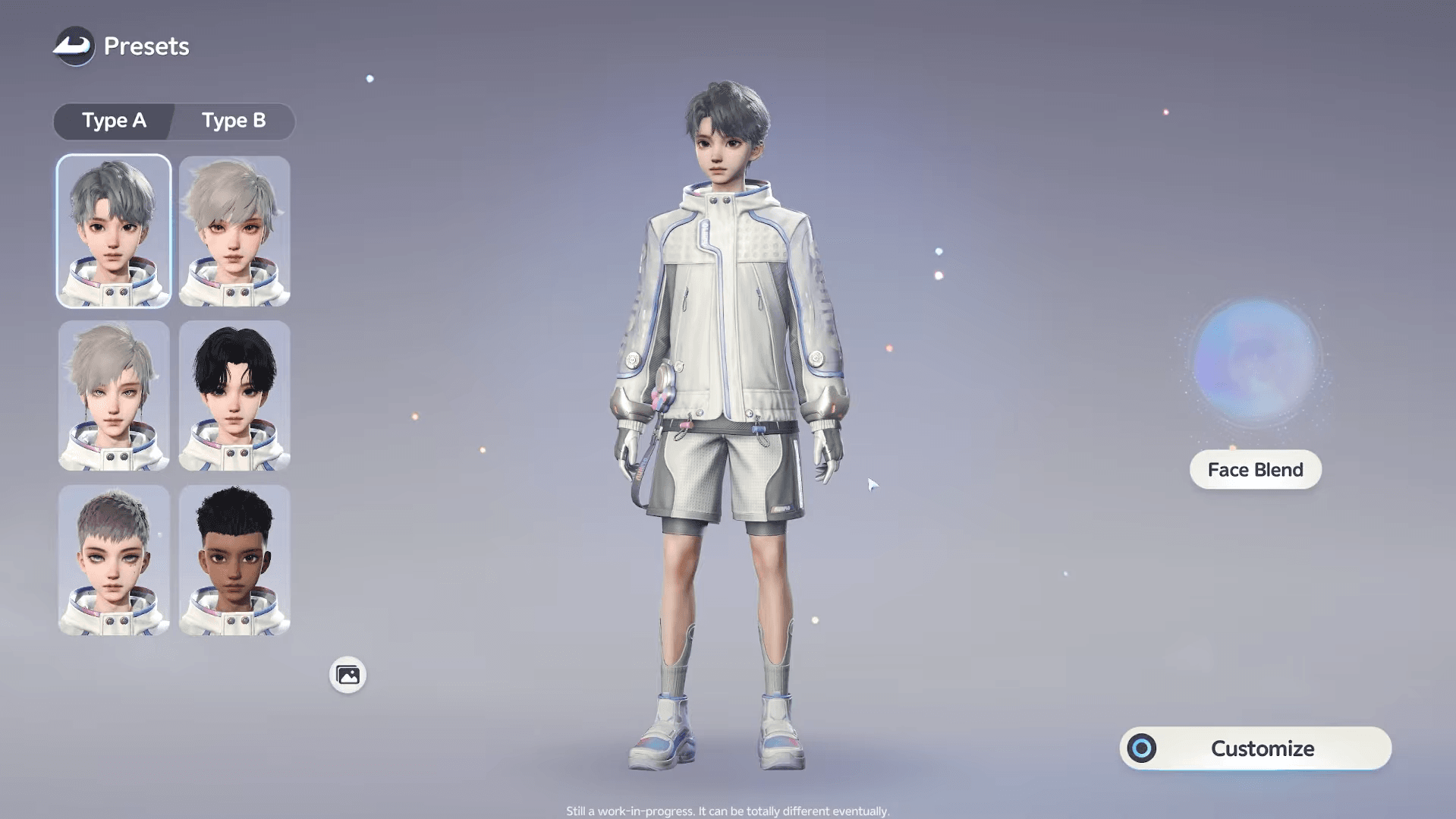
The first decision you make is gender: Male or Female. This choice is permanent after character creation ends, and each gender comes with its own set of presets and customization options. Pick a preset that gets you roughly where you want to be, then refine from there.
The full creation flow moves through four optional tabs before you finalize your look:
- Face — facial structure and features
- Makeup — cosmetic details and color
- Hair — style, color, highlights, and gradients
- Body — physical proportions
After those, you land on Clothing, which is the only mandatory step before finishing.

What can you adjust under each customization tab?
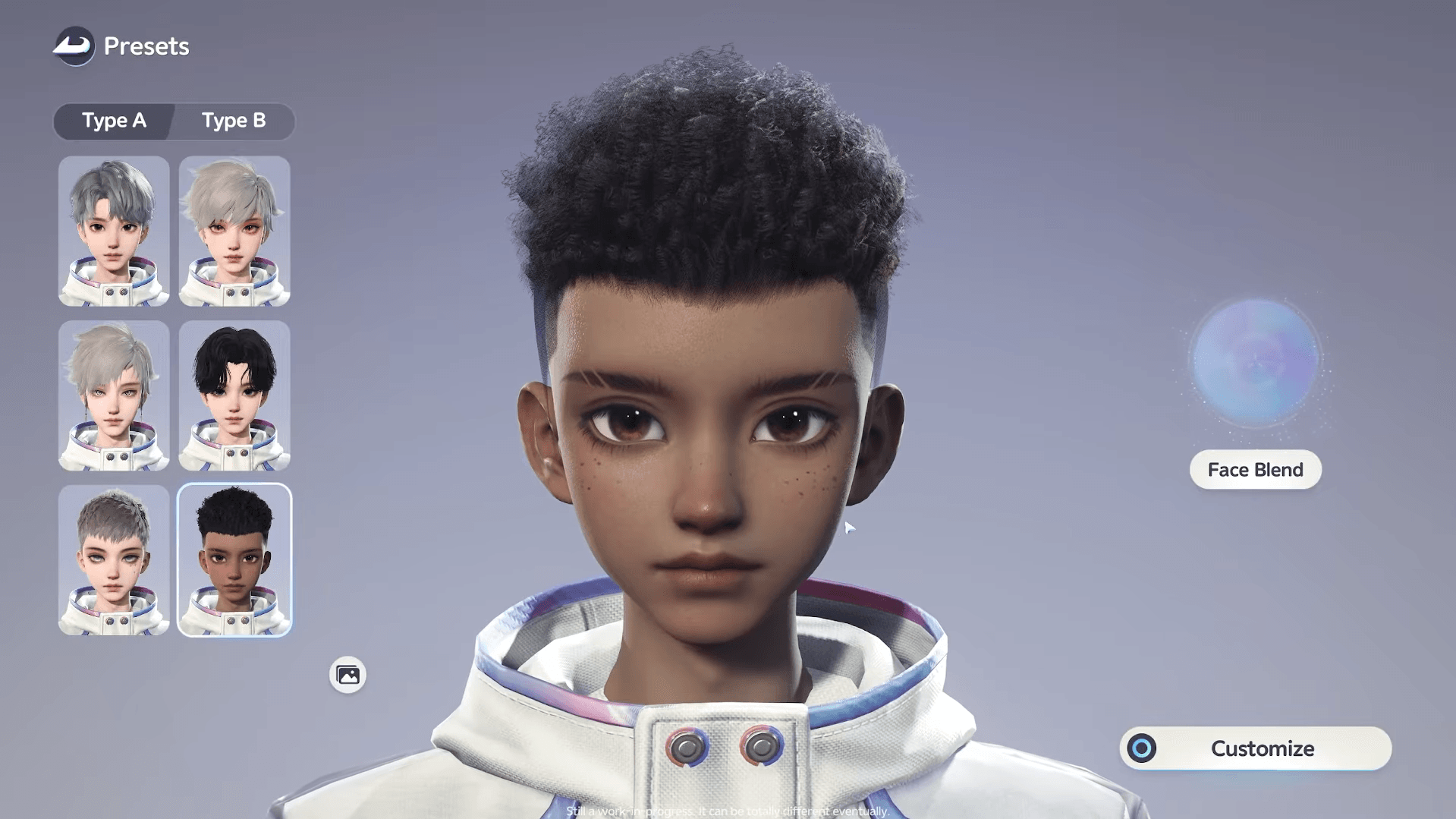
Aniimo Character Creation & Customization Guide
Face
The Face tab gives you granular control over the structure of your avatar's head. Each sub-option uses sliders on the right side of the screen:
- Face Shape — cheekbones, cheeks, chin, and jawline
- Eyebrows — shape, tilt, and position
- Eyelids — eyelid shape, eye corners, pupils, and overall eyeball structure
- Nose — nose tip, nostrils, and nasal bridge
- Lips — mouth corners, upper lip, and lower lip
- Ears — ear shape and size
Makeup
Makeup handles the cosmetic layer on top of facial structure. Sub-categories here include:
| Sub-category | What it controls |
|---|---|
| Set | Full makeup presets |
| Skin | Skin tone and texture |
| Eyelashes | Lash style and length |
| Brows | Brow color and fill |
| Pupils | Pupil shape |
| Iris Patterns | Iris design and color |
| Eye Makeup | Shadow, liner, and accents |
| Blush | Cheek color and placement |
Each sub-category has its own preset options plus sliders for fine-tuning. You are not locked into a single preset per category.
Hair
The Hair tab lets you choose a hairstyle and then customize individual hair sections with color, highlights, and gradient options. Changing hairstyle at this stage costs nothing.
Body
Body proportions cover arms, hands, shoulders, chest, waist, hips, thighs, and calves. All adjustments use sliders. You can toggle clothing off while working in this tab so you can see the proportions clearly before adding an outfit.
Clothing
Once the optional tabs are done, the Clothing step is required before you can finish creation. This is where you pick your starting outfit. More outfits become available later through shops, events, and quests.
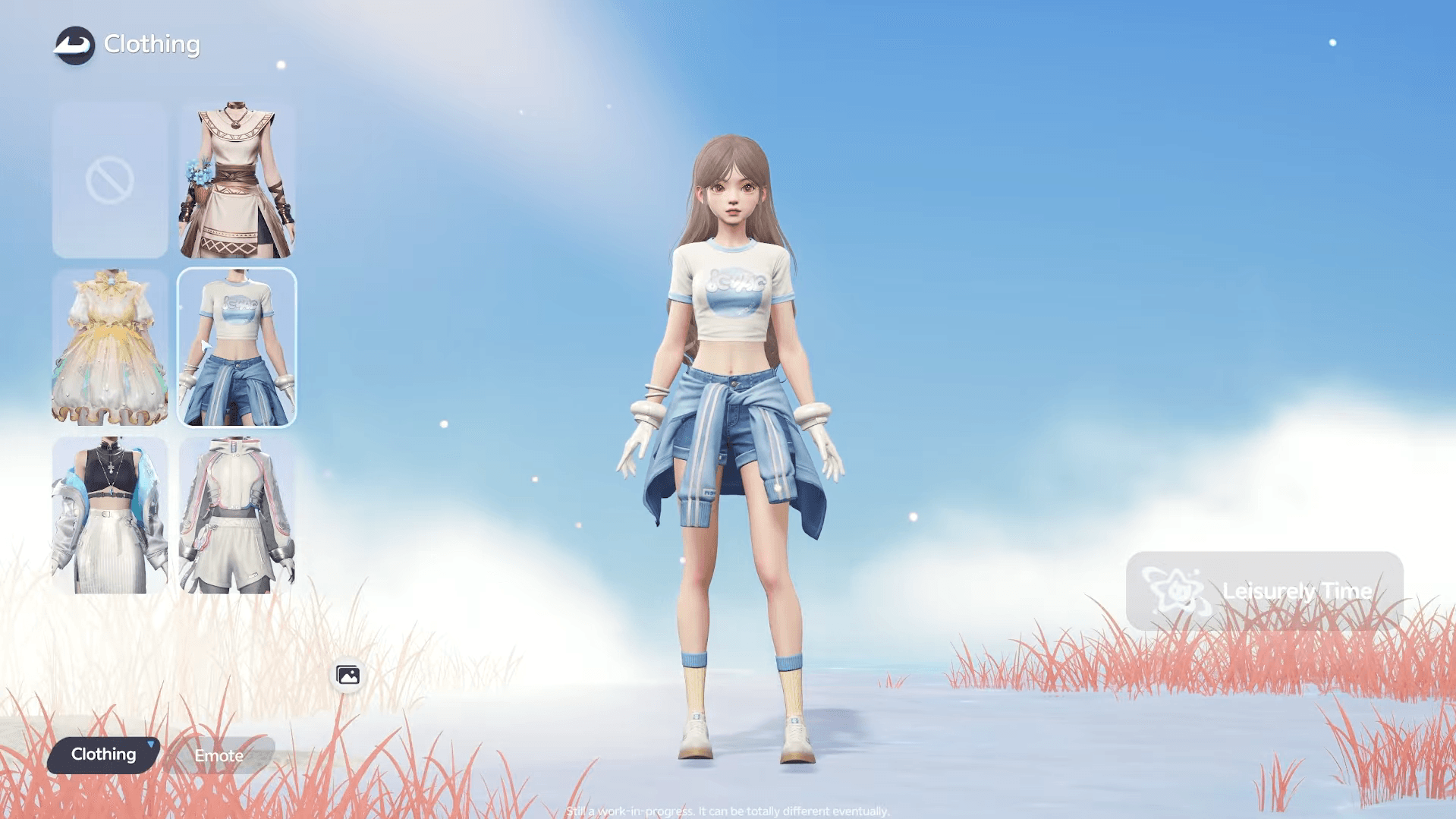
Aniimo Character Creation & Customization Guide
Can you import a character appearance?
Yes. Aniimo supports QR code import for character customization data. Scanning a valid QR code applies the associated appearance to your character. This is useful if you want to replicate a look shared by another player or apply a saved configuration across accounts.
How do you change your appearance after launch?
Post-creation edits are handled through the Appearance section of the main menu. On PC, press Esc to open the menu. On PS5, use the Options button. On Xbox, press the Menu button.
Inside Appearance, select the Design tab to access:
- Face Adjust — tweak facial features
- Hairstyle Design — change hairstyle and color
- Clothing Design — change outfits (available from September 30, 2026 onward)
What do post-launch changes cost?
Not every change is free after character creation ends:
| Change type | Cost |
|---|---|
| Facial features (Face Adjust) | 1 Redesign Card (300 Glimmer) |
| Hair color change | 1 Hair Saloon Card (300 Glimmer) |
| Hairstyle change | Free |
| Clothing change | Free (once Clothing Design unlocks) |
Getting the most from your customization options
The depth here is real. Between Face Blend, per-section hair gradients, and the full body proportion sliders, Aniimo gives you enough tools to build something genuinely distinct. The main trap new players fall into is rushing through creation and then spending Glimmer on Redesign Cards within the first few hours. Take the time upfront.
If you want to go deeper into the game itself, the Aniimo beginner's guide covers Twining, team building, catching, and the Homeland system. For creature-specific decisions, the Aniimo tier list breaks down every creature across DPS, Break, Support, and Heal roles. And if you want to understand element matchups before your first tough fight, the Aniimo type chart has every strength and resistance mapped out. More guides are available in the full Aniimo guide collection.