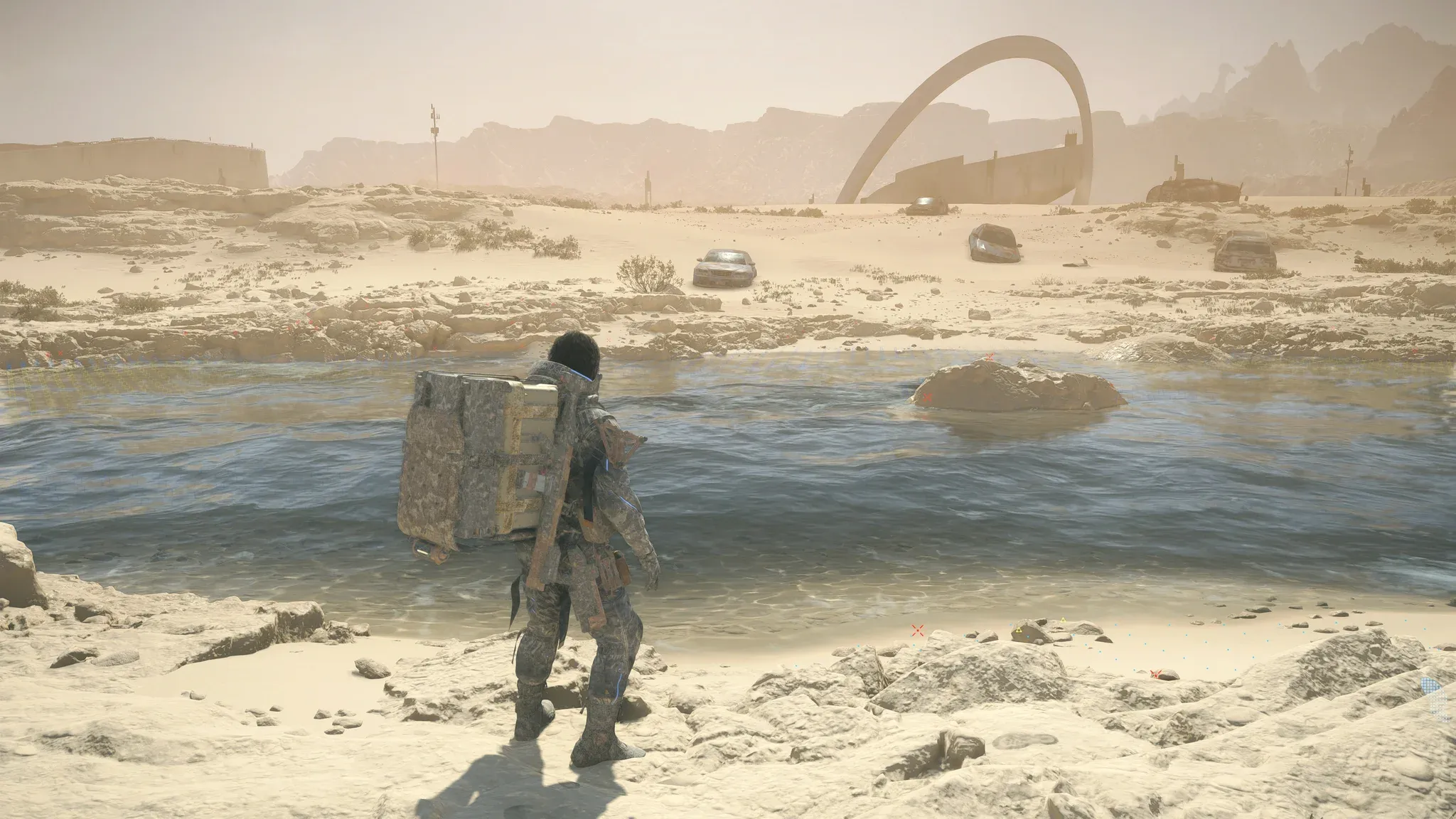

Death Stranding 2: On the Beach arrives on PC with a host of hidden mechanics, expanded systems, and technical upgrades that make it one of the most ambitious open-world experiences available. Whether you're a returning porter or stepping into Sam's boots for the first time, there's a lot the game never explicitly teaches you. This guide covers everything from PC-specific features and system requirements to the clever tricks that separate efficient deliverers from frustrated ones trudging through Australian sandstorms.
What Do You Need to Run Death Stranding 2 on PC?
Powered by the Decima Engine (the same technology behind the Horizon series), Death Stranding 2 is visually striking without demanding the absolute top-tier hardware you might expect. The PC port was handled by Nixxes Software, and it shows in the quality of the technical implementation.
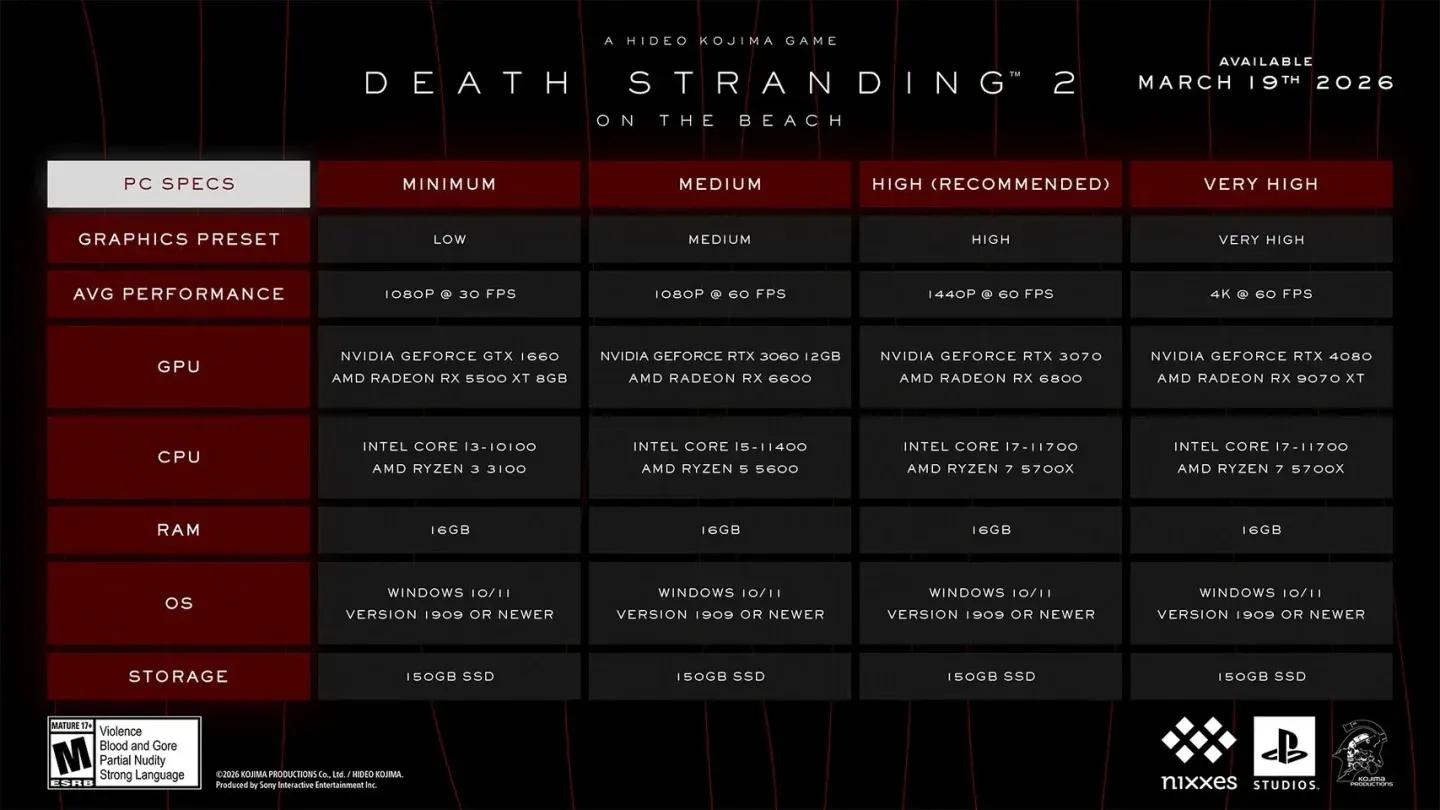
PC graphics configuration screen


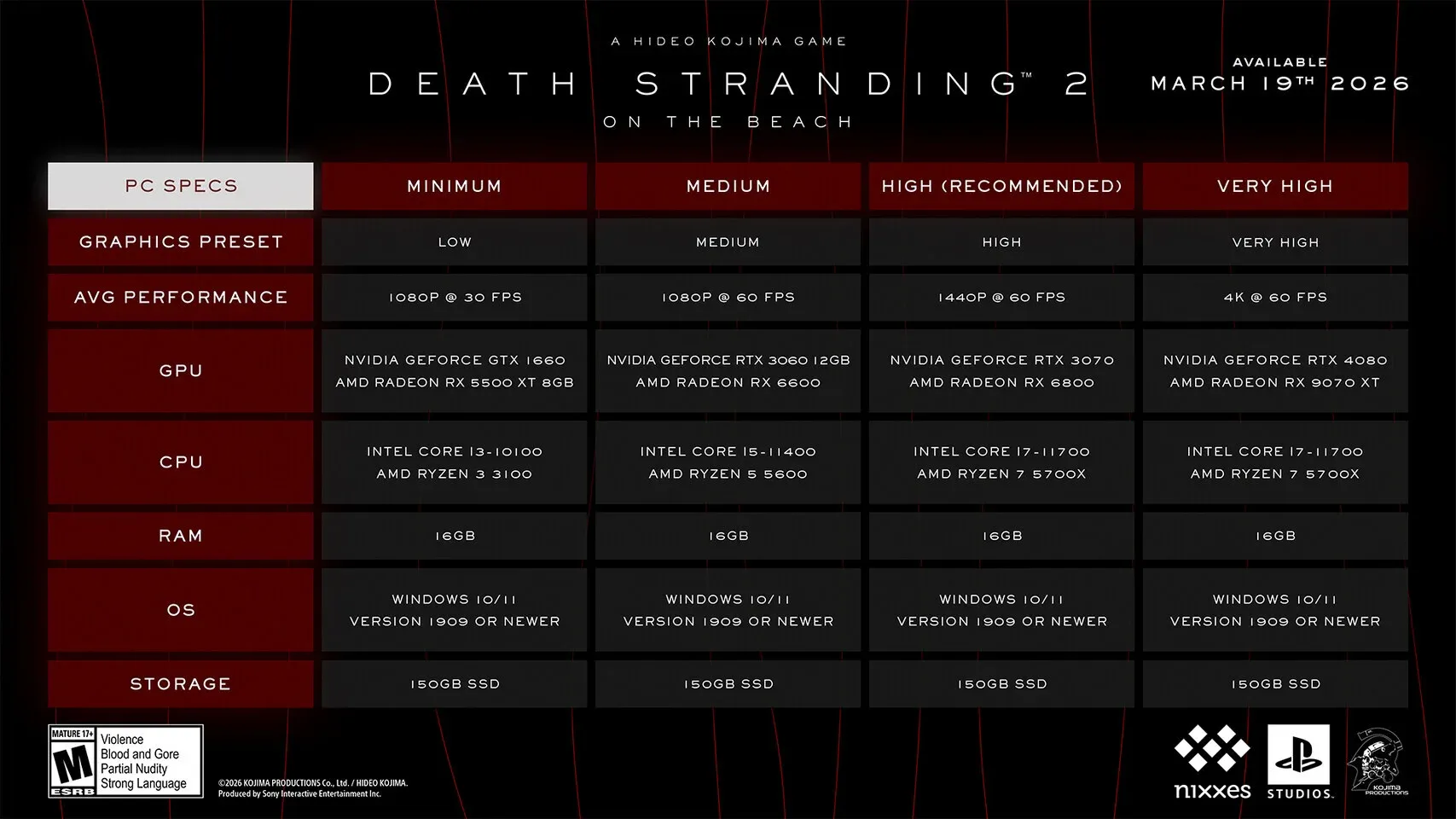
Minimum vs. Recommended Specs
| Component | Minimum | Recommended |
|---|---|---|
| OS | Windows 10/11 (v1909+) | Windows 10/11 (v1909+) |
| CPU | Intel Core i3-10100 / AMD Ryzen 3 3100 | Intel Core i7-11700 / AMD Ryzen 7 5700X |
| RAM | 16 GB | 16 GB |
| GPU | GTX 1660 / RX 5500 XT (8GB) | RTX 3070 / RX 6800 |
| Storage | 150 GB SSD | 150 GB SSD |
On the display side, the PC version supports ultrawide (21:9) and super ultrawide (32:9) monitors, along with full upscaling support through AMD FSR, Intel XeSS, and NVIDIA DLSS. If you have the screen real estate, this is the definitive way to take in Australia's harsh landscapes.
What Are the Pre-Order and Deluxe Edition Bonuses?
Pre-ordering Death Stranding 2 on PC through Steam or the Epic Games Store nets you a set of early-unlock items:
- Custom Hologram: Quokka (early unlock)
- Battle Skeleton: Silver (Lv1, Lv2, Lv3)
- Boost Skeleton: Silver (Lv1, Lv2, Lv3)
- Bokka Skeleton: Silver (Lv1, Lv2, Lv3)
The Digital Deluxe Edition steps things up considerably:
- Machine Gun [MP] (Lv1) early unlock
- Patch 70: Quokka, Patch 71: Chiral Cat, Patch 72: Why Me?
- Battle Skeleton: Gold (Lv1, Lv2, Lv3)
- Boost Skeleton: Gold (Lv1, Lv2, Lv3)
- Bokka Skeleton: Gold (Lv1, Lv2, Lv3)
The Gold-tier skeletons offer a meaningful early advantage, and the Machine Gun [MP] unlock gives you a combat option right out of the gate rather than waiting to find it organically.
What's New in the Story and World?
Death Stranding 2 picks up eleven months after the original, relocating Sam Porter Bridges from Mexico to the brutal terrain of Australia. Sam is now working with Drawbridge, an organization founded by Fragile to push the Chiral Network further across the continent, all while raising his adopted daughter Lou.
The Australian setting isn't just a backdrop. It actively punishes careless porters with storms, bushfires, floods, and sandstorms that can shred cargo and drain stamina. Newcomers can access a recap feature to catch up on the original story before diving in.
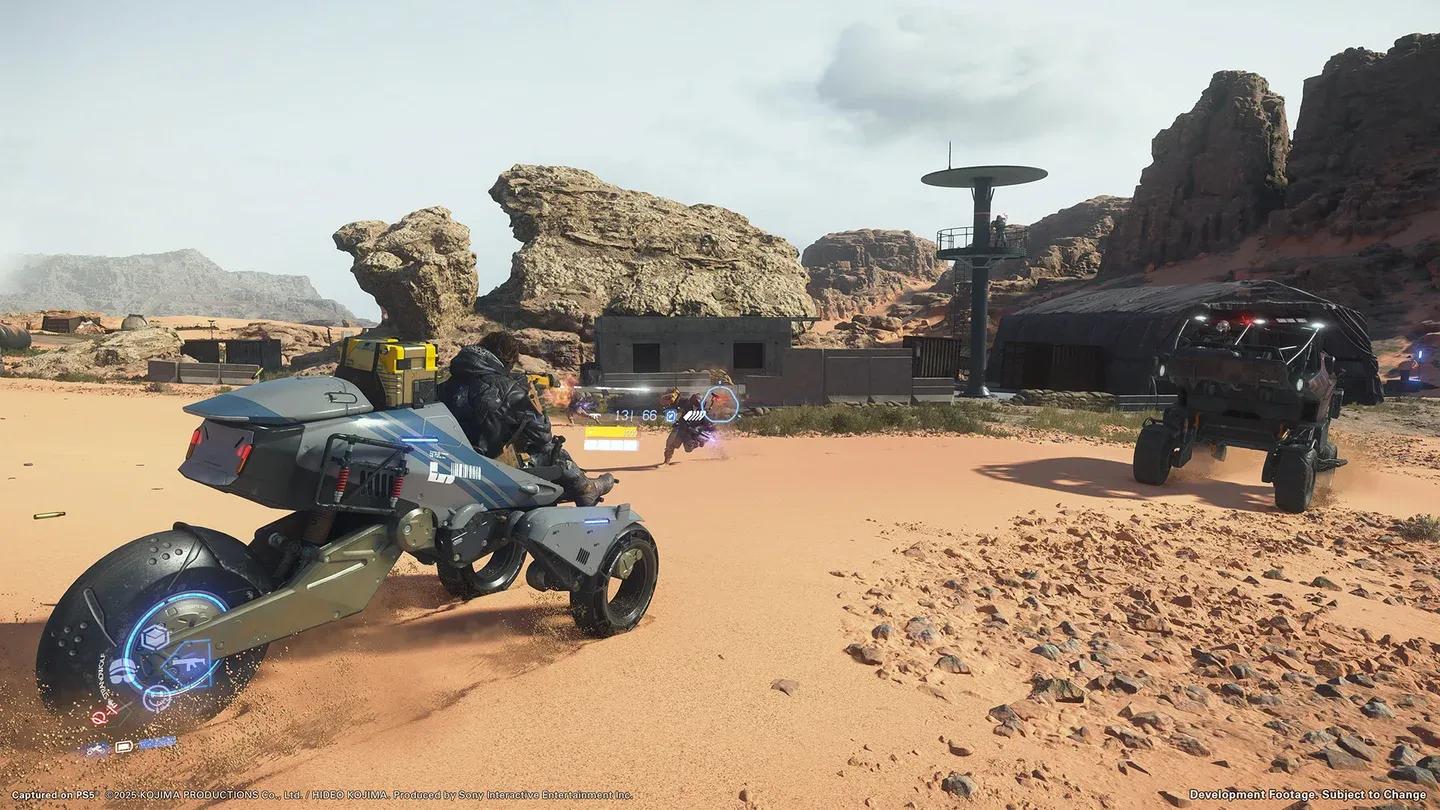
Sam navigating Australia's terrain
Hidden Mechanics That Actually Matter
The game's Corpus text contains most of these tips, but it's dense enough that most players skip past the useful parts. Here's what you need to know right away.
How Do You Keep Cargo From Washing Away?
One of the most frustrating early experiences is watching your carefully stacked delivery scatter into a river after a single stumble. Death Stranding 2 has a direct solution: Strand rope tie-down.
Place your backpack on the ground by holding Triangle (default), equip your Strand rope, then walk up to the backpack until you see the "tie down cargo" prompt. This binds everything together and dramatically reduces scatter during falls or combat. The same technique applies to your floating carrier.
Should You Remove Your Backpack Before Combat?
Yes, and for two distinct reasons. First, if your pack contains fragile or damageable cargo, dropping it before a fight keeps it safe from stray hits. Second, when you're hiding in tall grass during stealth sections, a loaded backpack sticks up above the foliage and gives your position away. Drop it nearby, handle the threat, then retrieve it.
What's the Fastest Way to Build Stamina Before a Delivery?
Before leaving Sam's private room, consume every energy drink and cryptobiote on the shelf. You'll receive stamina and blood level bonuses that persist into your delivery. Skip through the animations if you're in a hurry. It takes under a minute and makes a noticeable difference on long hauls.
Also, move the camera around the shelf before leaving. There are often additional interactive items that aren't immediately obvious.
How Does the Odradek Scanner Help With Route Planning?
The map gives you the broad picture, but the Odradek scanner fills in the details on the ground. Before setting out, mark a route with waypoints so the Odradek's dotted line guides you without constant map-checking. Spam the scan button (L1 by default) regularly while moving to spot chiral crystals, safe crossing points in rivers, and terrain hazards.
Chiral crystals are worth collecting consistently. Every 1000g of chiral crystals you carry reduces Sam's effective load by 1g. That compounds over long deliveries.
When scanning rivers and streams, look for blue and yellow zones that indicate easier crossing points. Avoid any terrain marked with red X markers.
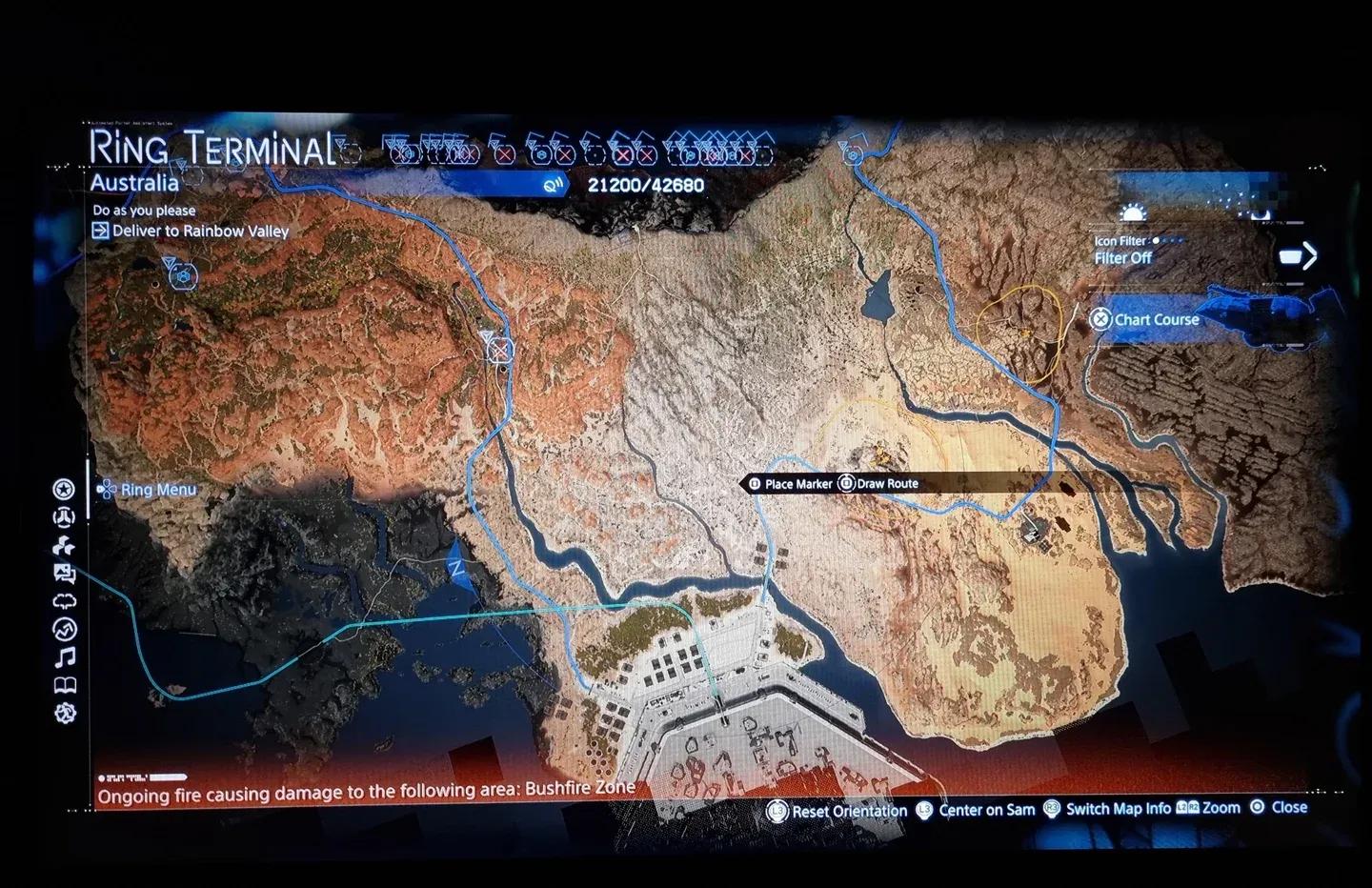
Odradek route planning overlay
What's the Difference Between Container Repair Spray and Cargo Repair?
This trips up almost every new player. Container repair spray fixes the box or case that holds your cargo. It does not fix the cargo itself. A damaged container degrades faster and offers less protection to whatever is inside, so coating containers before final delivery directly impacts your rating.
For protection during transit, timefall shelters provide the same container-preservation benefit as the spray and are worth building along frequently traveled routes.
How Does the DHV Magellan Fast Travel Work?
Several hours into the campaign, you'll unlock fast travel through the DHV Magellan. Captain Tarman designates safe docking zones near key delivery destinations. To use it, open the map, hold X (DualSense default), highlight your target, and look for the DHV Magellan Docking Area marker.
One catch: you need to be aboard the Magellan before initiating travel, or you'll dispatch the ship without yourself on it. Also, using the Magellan to transport cargo for orders triggers the Magellan evaluation, which slightly reduces the credit you earn compared to carrying goods manually.
What Are Sandalweed Shoes and Why Do They Matter?
Among Sam's footwear options sits one unusual pair made from sandalweed. Equipping these shoes makes Sam's movement nearly silent, which is a significant advantage in stealth sections. Always carry a second pair of shoes on the boot clip hook of Sam's outfit. Moving barefoot causes blood loss and speed penalties, so the backup pair matters even if you're not using the sandalweed variant.
How Does VR Training Help Beyond the Tutorial?
The VR Training system, accessible from the door prompt in Sam's private room or at certain terminals, is not just a tutorial placeholder. The Weapons/Combat Training mode lets you test how different weapons behave and how enemies respond without risking actual cargo. The Porter Fundamentals Program contains short missions that directly mirror real delivery scenarios.
Spending 30 minutes here before pushing into new regions pays off. You'll learn weapon handling quirks and movement mechanics that the main campaign never pauses to explain.
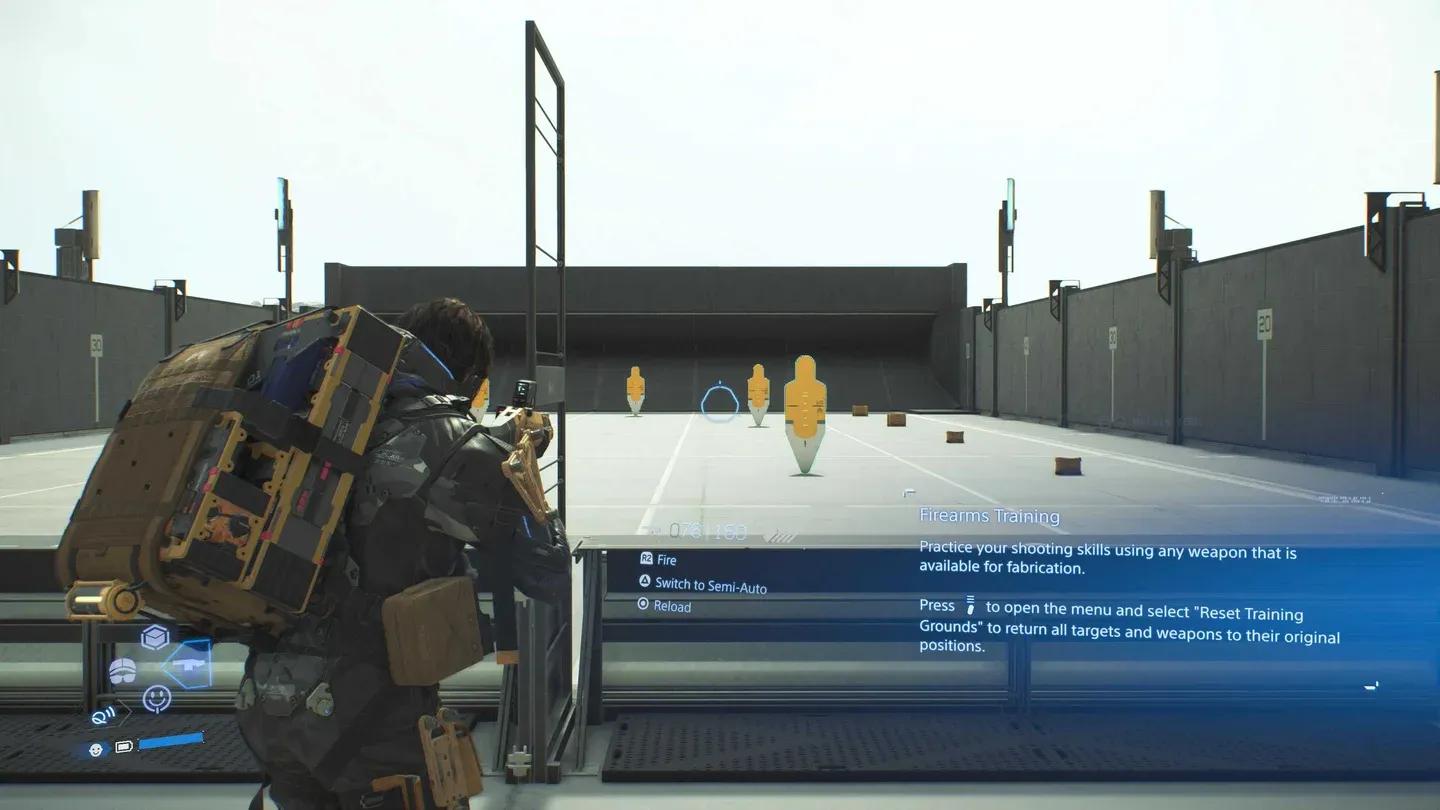
VR Training weapons terminal
How Does the Multiplayer Like System Work?
Building bridges, recharge stations, postboxes, timefall shelters, and watchtowers doesn't just help your own runs. These structures appear in other players' worlds, and those players can reward you with likes. The more likes exchanged between players, the more of their structures populate your game in return.
Dropping signs in high-traffic areas near facility ramps is one of the simplest ways to accumulate likes passively. It costs almost nothing and creates a steady flow of community engagement.
Map Filters: How to Stop Getting Overwhelmed
The in-game map displays a lot of information at once, which becomes genuinely cluttered mid-game. Open the map and use the Filter menu (accessed via the touchpad on DualSense by default) to toggle specific icon categories. The tabs cover Online, Orders, Structures, Vehicles, Cargo, and Other, each with a Hide All button at the top. Start from a clean slate and add back only what you need for your current objective.
Setting Your Default Weapon for Faster Combat Access
Inside the Weapons/Tools screen, the bottom-right corner holds a prompt to designate a default weapon (press R3 by default). This means your preferred weapon is always one quick pull away without scrolling through menus mid-fight. In tense BT encounters or MULE skirmishes, that saved second matters.
Connecting Ladders for Canyon Traversal
Two ladders can be connected end-to-end, extending your reach significantly. This is most useful in the early Mexico section, where wide canyons make standard single-ladder placement insufficient. Keep two ladders in your loadout when exploring areas with significant vertical drops.
For the latest patch information affecting gameplay and any known bugs, you can check the Death Stranding patch notes archive to stay current on fixes. It's also worth noting that a post-launch bug affecting the Motherhood facility was addressed in a specific update, as detailed in Death Stranding 2 Update 1.012's patch notes, which resolved a progression issue that had been blocking the platinum trophy for many players.
For more guides covering Death Stranding 2 and other major releases, browse the latest gaming guides at GAMES.GG.