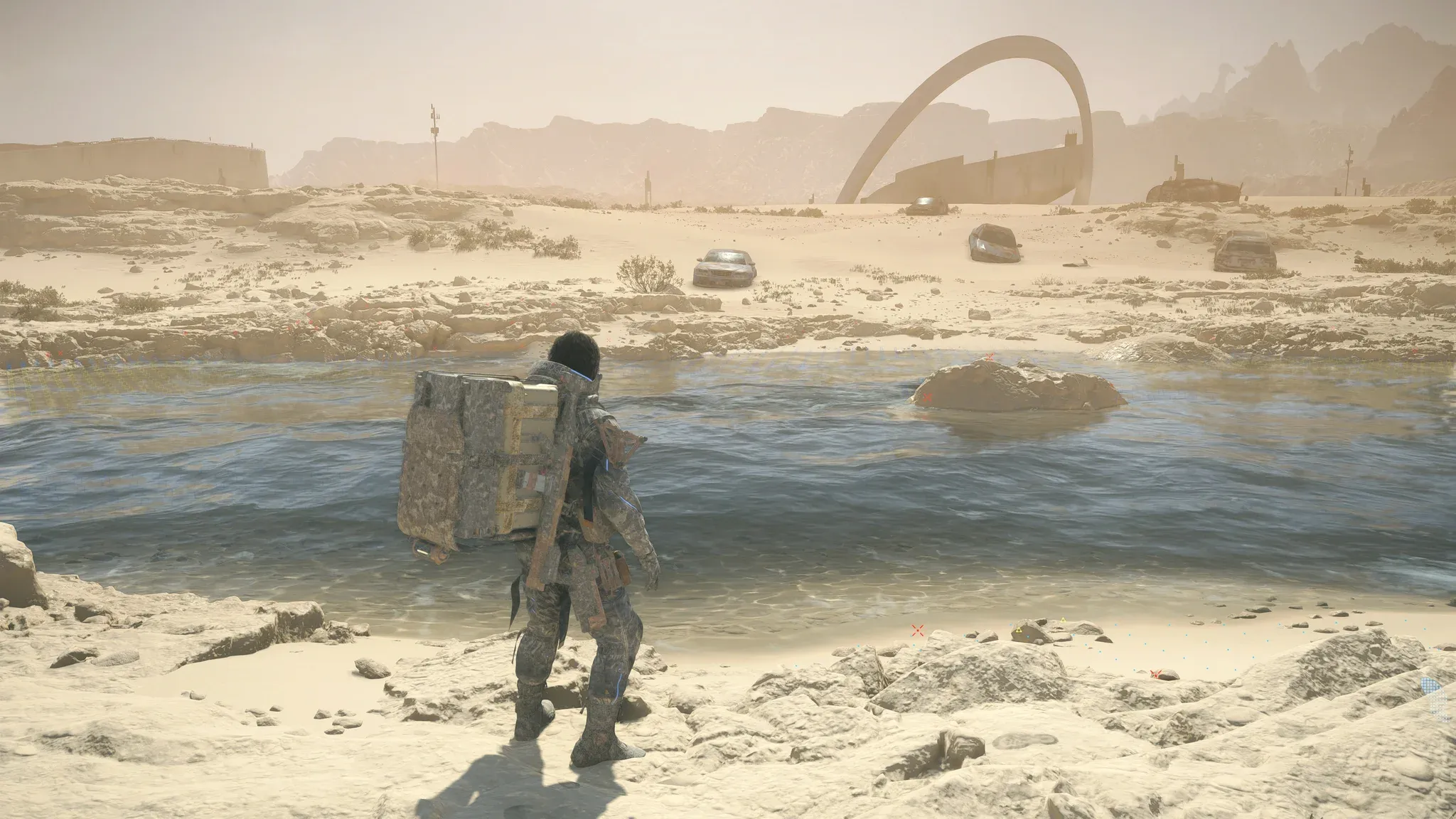

Death Stranding 2: On the Beach arrives on PC with a surprisingly accessible set of system requirements and a genuinely impressive suite of graphics options. Whether you're running a mid-range rig or a top-tier setup, the game gives you real tools to dial in performance without sacrificing visual quality. Here's everything you need to know to get the best experience out of this port, from upscaling choices to frame generation settings.
What Are the PC System Requirements for Death Stranding 2?
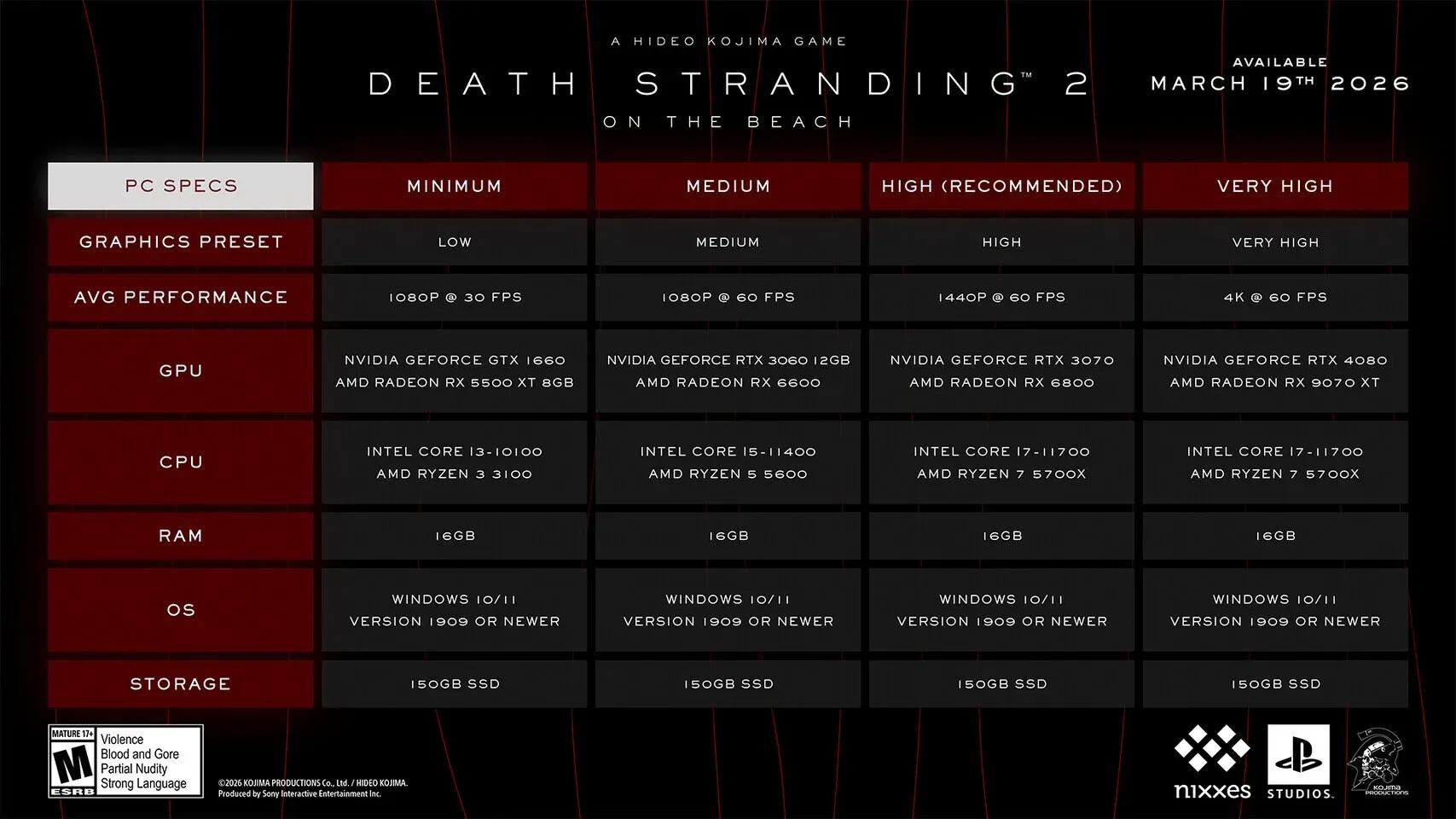
The PC requirements for Death Stranding 2: On the Beach are considered reasonable given the game's origins as a PlayStation 5 title. Ported to PC with assistance from Nixxes Software (known for high-quality console-to-PC conversions), the game targets a wide range of hardware without demanding the absolute latest GPU generation.
PC system requirements overview
The PC version launched with full documentation of minimum, recommended, and high-performance tiers. The specs are structured to support players across a broad hardware range, from entry-level 1080p gaming to high-fidelity 4K setups.


How Do DLSS 4, FSR 4, and Pico Upscaling Compare?
One of the standout features of this PC port is the breadth of upscaling support. The game launches with NVIDIA DLSS 4, AMD FSR 4, and Intel XeSS 2 all available at launch, each paired with their respective frame generation options. That means no matter which GPU brand you're running, you have access to a modern, high-quality upscaling path.
What Makes Pico Upscaling Special?
For the first time on PC, Death Stranding 2 introduces Pico, a "Progressive Image Compositor" developed by Guerrilla Games specifically for the Decima engine. This is the exact same upscaling technology used in the PS5 version of the game, now available to all PC players regardless of GPU brand.
Pico is not locked to any hardware vendor, which makes it a genuinely universal option. It can also be combined with the frame generation methods offered by NVIDIA, AMD, or Intel, giving you flexibility to mix and match for the best result on your specific setup.
Pico upscaling settings tab
Upscaling Technology Comparison
| Upscaler | Developer | Frame Gen Support | GPU Requirement |
|---|---|---|---|
| DLSS 4 | NVIDIA | Yes (DLSS Frame Gen) | NVIDIA RTX series |
| FSR 4 | AMD | Yes (FSR Frame Gen) | AMD RDNA 3+ recommended |
| XeSS 2 | Intel | Yes | Intel Arc (optimized), others supported |
| Pico | Guerrilla Games | Combinable with all | Any supported GPU |
How to Set Up Frame Generation for Maximum FPS
Frame generation is available across all four upscaling technologies in Death Stranding 2. Each option works within its own ecosystem but the setup process follows a similar pattern in the graphics menu.
Steps to Enable Frame Generation
- Open the in-game Graphics Settings menu
- Navigate to the Upscale Settings section
- Select your preferred upscaler (DLSS 4, FSR 4, XeSS 2, or Pico)
- Enable Frame Generation within the same submenu
- Adjust the upscaling quality preset (Performance, Balanced, Quality, or Native AA)
What Is Dynamic Resolution Scaling and Should You Use It?
Dynamic Resolution Scaling (DRS) is available alongside all upscaling options in Death Stranding 2. Rather than locking to a fixed internal resolution, DRS automatically adjusts the render resolution in real time to maintain your target frame rate, then the upscaler reconstructs the image to your output resolution.
This is particularly useful in open traversal sections where GPU load spikes unpredictably. Pairing DRS with Pico or DLSS 4 Quality gives you a stable frame rate without constantly dropping into lower quality presets manually.
For players who prefer full control, you can disable DRS and manually set a fixed upscaling quality tier instead. Native AA is also available for those who want maximum fidelity without any resolution scaling at all.
PC Port Quality: What to Expect from Nixxes
Nixxes Software handled the PC conversion of Death Stranding 2, and their track record with titles like Spider-Man Remastered and Horizon Zero Dawn Remastered suggests a technically sound release. For detailed technical notes, known issues, and community-reported fixes, the Death Stranding 2 PCGamingWiki page is the most thorough resource available, covering everything from borderless window behavior to HDR calibration.
The March update focused on refining UI elements and optimizing performance across a wider range of PC hardware configurations. You can check the full breakdown of Death Stranding 2's latest patch details for specifics on what changed and whether your hardware tier benefits from the new optimizations.
Quick Settings Recommendations by Hardware Tier
| Hardware Tier | Recommended Upscaler | Quality Preset | Frame Gen |
|---|---|---|---|
| Entry (GTX 1660 / RX 580) | Pico or FSR 4 | Performance | Off |
| Mid-Range (RTX 3070 / RX 6700 XT) | DLSS 4 or FSR 4 | Balanced | Optional |
| High-End (RTX 4080 / RX 7900 XTX) | DLSS 4 or Pico | Quality | On |
| Ultra (RTX 5090 / RX 9070 XT) | Native AA | Native | On |
These are starting points, not final answers. Every system varies based on CPU bottlenecks, VRAM capacity, and monitor resolution, so treat these as a baseline and tune from there.
For more guides covering the best settings and strategies across major PC releases, browse the latest guides on GAMES.GG to stay ahead of new ports and updates.