You get a bank account automatically during the Chapter 1 mission Buck Me in Grand Theft Auto 6. Banking separates the cash you carry from money you can spend digitally, opening up more purchases and ways to manage your balance. Your next decision is where to keep those funds. Pocket cash, checking, and shared savings serve different purposes, and moving money into the wrong account can leave you short for your next purchase.
When and where to open a bank account
You cannot open a bank account before Buck Me. Finding a bank or ATM while exploring does not bypass the mission requirement, so continue the main story if banking is still unavailable.

Requirements and setup steps
The account setup is part of the mission, not a separate free-roam errand:
- Progress through the main story in Chapter 1 until you reach Buck Me.
- Follow the mission objectives. The account is created during the mission.
- Once you return to free roam, press D-pad Up to bring out your phone and open BuckMe to manage your account.
Jason and Lucia have separate checking accounts, with individual balances. Their shared savings account is a different pool of money, so do not assume every balance shown in the banking system is available to both characters for everyday spending.
Where to keep money before banking unlocks
Before you have banking access, store spare cash beneath the bedroom floorboards in Jason's house in Key Lento. This gives you somewhere to put money without carrying it through every encounter.
Death or arrest can cost you carried cash, and strangers may try to rob you while you explore. After Grand Theft Auto 6 robberies, make storing the proceeds part of your return trip before starting another job.
How to deposit and withdraw money
Once the account is available, you can deposit and withdraw money at ATMs and banks around the city. Look for the map symbol showing a hand holding a credit card to locate an ATM.
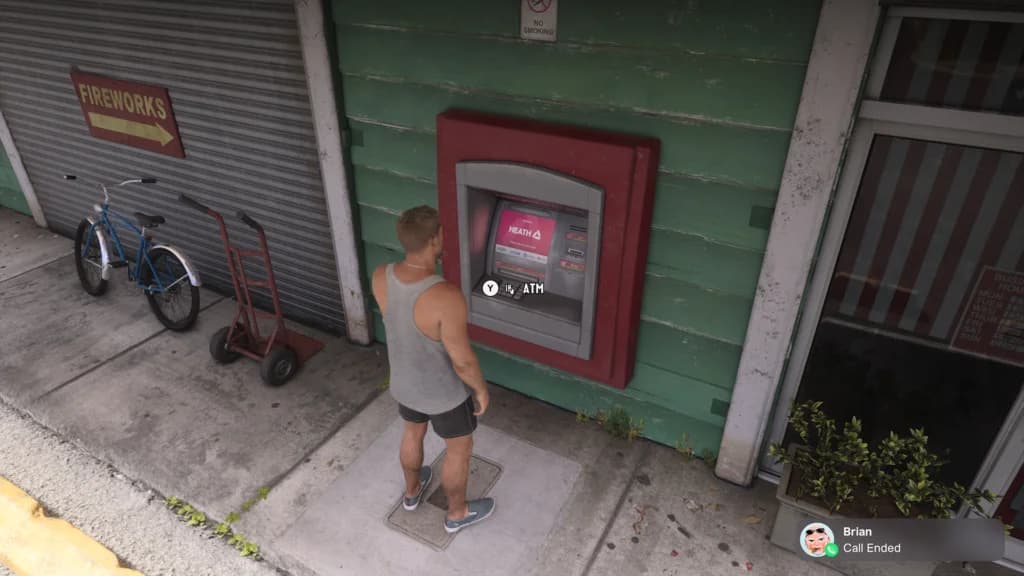
An ATM terminal in Leonida
Making your first deposit
Use this sequence to move physical money into checking:
- Find an ATM using its map symbol, or visit a bank.
- Approach and interact with the banking service.
- Deposit the cash you do not need to carry.
- Keep a small amount in your wallet for cash-only purchases and encounters.
Withdraw money through an ATM or bank when you need to replenish your wallet. Physical cash deposits and withdrawals happen at these service points; the phone app handles account management and transfers.
How much cash should you keep?
Both Jason and Lucia can individually carry up to $20,000 in pocket cash. That is a carrying limit, not a sensible everyday target. Keep a few hundred dollars on hand and put the surplus into storage or checking.
Some vendors only accept cash. Street encounters can also ask you to pay for information, bribe someone for access, or put money down for a game of pool. Emptying your wallet completely can mean leaving an opportunity to search for an ATM.
Choose your cash reserve around your next activity. A short shopping trip and a long stretch of exploration do not need the same budget, but neither requires carrying your entire balance.
What your bank account can be used for
Banking supports purchases that pocket cash cannot cover, gives you a way to review spending, and opens access to other money-making systems.
Pay for larger purchases and certain weapons
Most businesses accept pocket cash for smaller purchases up to $1,000. Purchases over $1,000, along with services that require digital payment, use your BuckMe Checking Account.
Opening the account also makes certain weapons available to purchase at Ammu-Nation. Those weapons cannot be bought with physical cash, so a full wallet does not replace the banking requirement.
Start selling cars
You need a bank account before you can start selling cars. If vehicle sales are your next source of income, banking is a progression requirement alongside learning how to steal cars in Grand Theft Auto 6.
Check transactions and make payments
The BuckMe phone app lets you view transactions, make payments, and transfer money from checking into savings. Use it to review what has gone into or out of your account before deciding how much you can afford to spend.
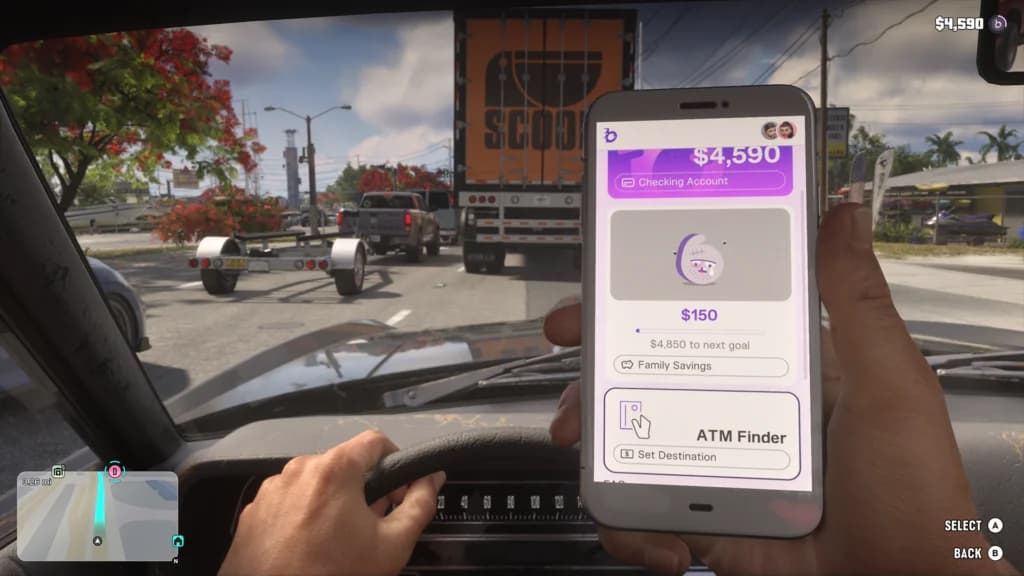
The BuckMe banking application
Treat checking as your spending reserve. Money intended for upcoming purchases belongs there, while your wallet covers immediate cash needs. Shared savings requires a separate decision because its transfer rules are more restrictive.
Checking vs. Family Savings
The banking system separates immediate spending from longer-term saving. Use this comparison before moving a large amount of money.
| Money pool | Main purpose | Access and restrictions |
|---|---|---|
| Pocket cash | Cash-only vendors, street encounters, and smaller purchases | Carried separately by each character; replenish it through withdrawals |
| BuckMe Checking Account | Digital payments, larger purchases, and accessible reserves | Individual account for each character; supports deposits and withdrawals |
| BuckMe Family Savings | Shared savings goals for Jason and Lucia | Funded by transfers from checking through the app |
How Family Savings works
Family Savings is shared between Jason and Lucia, and both can contribute toward its five savings goals. You can transfer funds from checking through the BuckMe app while the savings account has room. The app's Buck Yourself option handles these savings transfers.
Keep a separate file using Grand Theft Auto 6's save and load options before committing a large transfer, once manual saving is available. Set aside your next spending budget first, then decide how much of the remainder to contribute.
Account upgrades and pending payments
Checking and Family Savings balance limits increase through story progression, with upgrade opportunities in Chapters 2, 3, and 4. BuckMe sends notifications after the relevant missions when checking upgrades become available. Upgraded checking accounts also offer perks and lower fees.
A full checking account cannot receive another payment immediately. Incoming transactions remain pending until there is enough space for the entire deposit, so freeing a small amount of room may not be enough to clear a larger payment.
Check both your current balance and account limit before relying on incoming money for a purchase. If a payment is pending, make room for its full amount and review the transaction in BuckMe.