
To play Moon Sweepers with friends, open Multiplayer, host a session, and invite your crew through your friends list. Online co-op supports up to 16 players, and everyone needs their own Steam copy with the same game version installed.
Choose your host before settling in for a long cleanup: that player's save holds the shared world and base structures. Team earnings support the operation, but handheld tools and vehicles are individual purchases. Upgrade Matrix sharing also depends on your patch, so check the rules below before spending.
Where do you access co-op?
Open Multiplayer from the main menu to reach Moon Sweepers' online session options. You can host a public session or restrict access for a planned cleanup with friends.


Which privacy setting should you choose?
Choose Friends Only or Invite Only when reserving spaces for your crew. These settings keep random players from taking slots intended for friends; a public session suits a group willing to play with other people.

Open your online co-op session
How do you start a session?
Before creating a Moon Sweepers lobby, agree on who will keep the campaign's world save available for future sessions.
- Have everyone update their Steam copy to the same game version.
- Choose a host who can make the saved world available when your crew wants to continue.
- Have the host open Multiplayer and create a session.
- Set the session's privacy to suit your group.
- Send invitations through the platform friends list, then wait for everyone to enter the same world.
How do friends join your game?
Keep the Steam overlay enabled so invitations are easy to access. The host sends invitations through the friends list; invited players accept and wait until they have entered the host's world before heading out to clean.
If a friend cannot join, compare game versions first. A version mismatch can prevent players from entering the same session, so check updates before changing your plans or rebuilding anything in the world.
Once everyone is together, the Moon Sweepers beginner's guide can help your crew choose early brush upgrades and get dust deliveries earning money.
What are the player limits and joining restrictions?
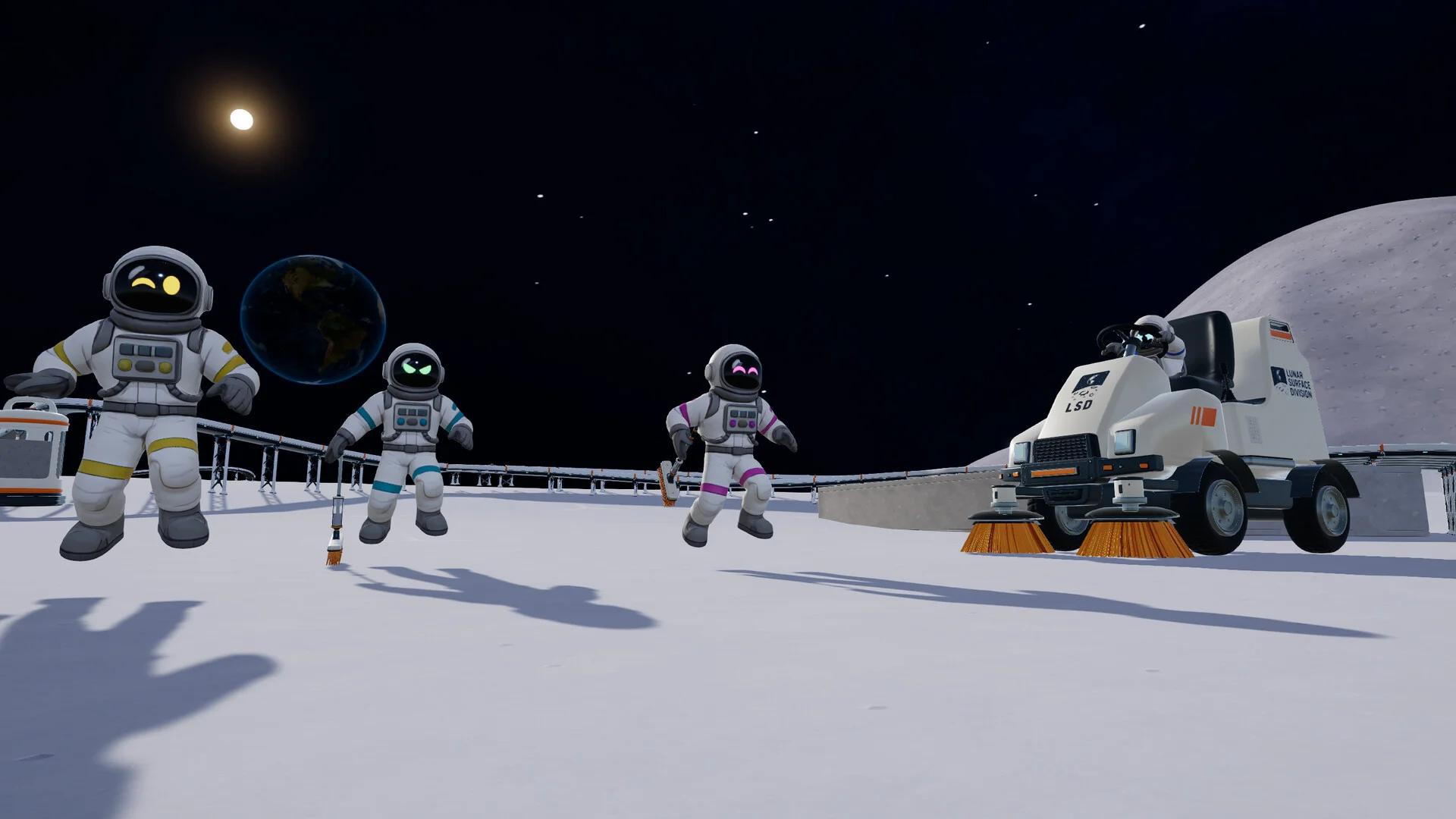
Moon Sweepers supports up to 16 players in a single online session. You can also play as a duo or start alone and bring friends into the operation later.
- Ownership: Every participant needs a copy of Moon Sweepers.
- Supported platform: Windows PC through Steam.
- Connection: Everyone needs a stable internet connection and matching game versions.
- Split-screen: A separate split-screen mode is not available.
- Crossplay: Console crossplay has not been confirmed.
How do progress and saving work in co-op?
Who keeps the world save?
The host's save contains the shared world's progress and base structures. For an ongoing Moon Sweepers campaign, keeping that save available matters as much as getting everyone into the first lobby.
Which purchases are shared?
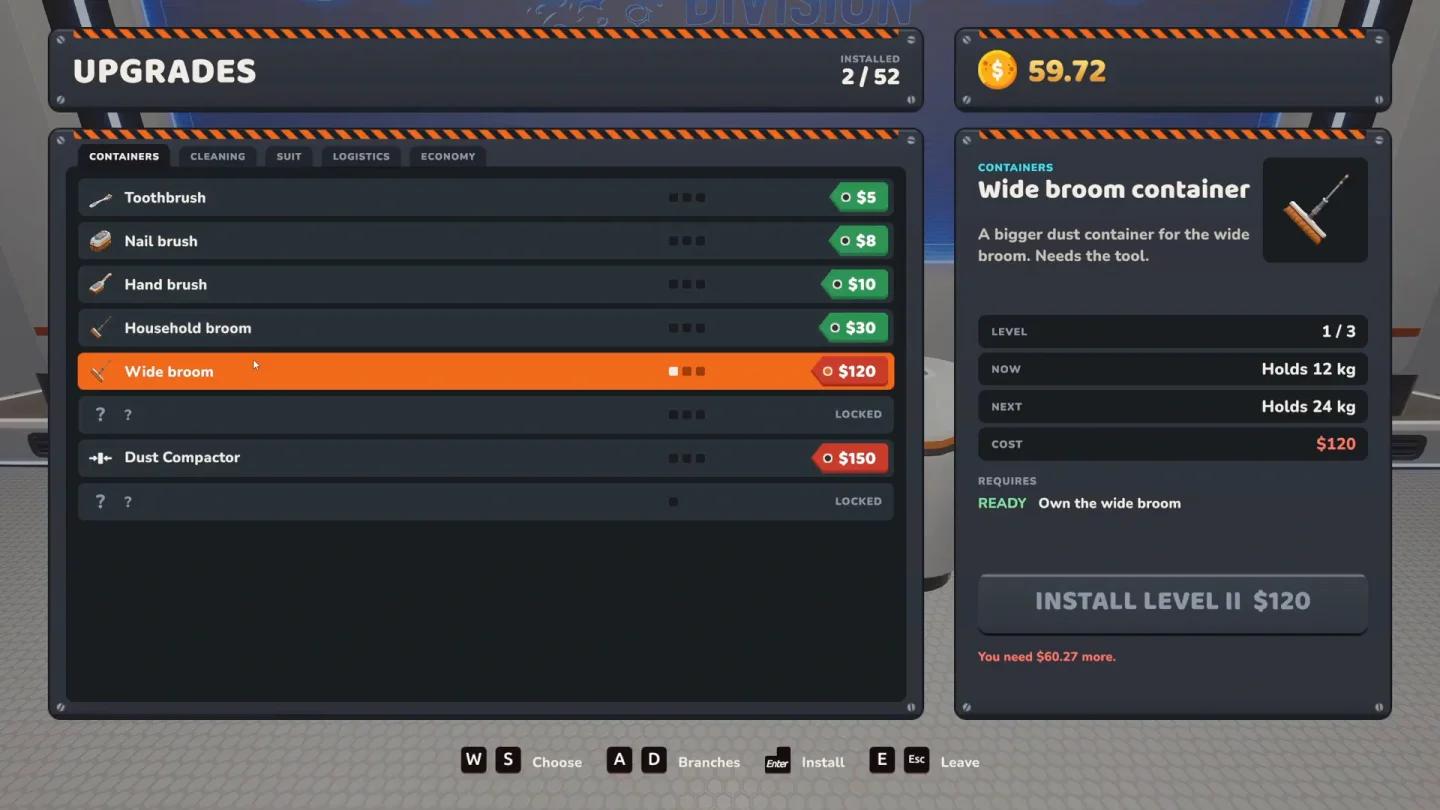
Starting with Patch 1.0.3, the crew uses the host's Upgrade Matrix. Any crew member can purchase a Matrix upgrade, and its benefits apply to everyone in the lobby.
That sharing rule does not extend to every purchase. Handheld tools and vehicles remain individual purchases, with vehicles stored through Garages.
| Progress or purchase | How it works in co-op | What your crew should do |
|---|---|---|
| Dust deliveries and rocket shipments | Contribute to the team's economy | Agree on major spending priorities |
| Upgrade Matrix, Patch 1.0.3 onward | Uses the host's Matrix; purchases benefit the lobby | Coordinate perks before buying |
| Handheld tools | Purchased individually | Plan equipment for the players using it |
| Vehicles | Individual purchases stored through Garages | Buy for an assigned job rather than expecting copies for everyone |
A Matrix perk that improves cleaning or selling payouts can benefit the whole crew. Discuss those purchases together, then budget separately for the tools and vehicles your assigned workers need.
Check crew-wide Matrix upgrades
How should you divide cleaning tasks?
Assign separate work areas before leaving the station. Extra players help most when they clear different ground and keep deliveries moving, rather than following each other across the same sector.
| Crew size | Suggested division | Why it works |
|---|---|---|
| 2 players | A cleaner, with a teammate handling deliveries and remaining patches | Keeps collection and payment moving together |
| 4 players | 2 manual sweepers, a vehicle operator, and a logistics or exploration player | Covers detailed cleaning, open ground, and support work |
| 8-16 players | Small teams in separate sectors, with dedicated delivery and infrastructure support | Reduces overlapping work and unattended dust |
These are job assignments, not fixed classes. Manual sweepers suit sector edges and small patches that are awkward for large vehicles, while vehicle operators can concentrate on open ground.
Give someone responsibility for conveyors, the selling system, and rocket shipments as production grows. The factory layout and automation guide is useful for the teammate organizing processing while the rest of the crew collects dust.
An exploration player can search for flags worth $100 each and survey sites worth $250 while identifying fresh work areas. In a smaller crew, rotate that job with deliveries instead of leaving the station unattended.
Common mistakes
- Expecting every purchase to be shared. Patch 1.0.3 shares Matrix benefits, while handheld tools and vehicles are still individual purchases.
- Sending everyone out to clean. Keep someone checking deliveries and rocket shipments so collected dust becomes earnings.
- Leaving scattered patches behind. Finish nearby incomplete sectors before moving the entire crew elsewhere.
- Buying transport before identifying a need. The $2,000 Crew Transport Van helps with travel, not cleaning capacity.
Pro tips
How do you find unfinished sectors?
Use the Moon Map to check where the crew should work next:
- Orange: Ground that has not been cleaned.
- Blue: Partially cleaned ground.
- Green: Completed ground.
Finish nearby blue areas before sending everyone into another orange sector. Cleaning in parallel paths also keeps teammates from duplicating each other's work.
Track unfinished cleaning sectors
Is the Crew Transport Van worth buying?
The Crew Transport Van costs $2,000 and is best for organized groups traveling to distant sectors together. A driver can drop teammates at a work area and collect them once the cleanup is finished.
Skip the van while everyone is working near the station. It transports teammates rather than replacing a cleaning vehicle, so equipment that directly improves production may be the better purchase at that stage.
What should you check when multiplayer misbehaves?
Friends cannot join
Check that every player has the same Moon Sweepers version installed. Matching versions is the first check when invitations fail to get everyone into the host's world.
Teammate-built conveyors are not working properly
Patch 1.0.3 addressed problems with Splitters and Mergers built by players other than the host, and Patch 1.0.4 included further fixes. Update the game, then test the affected components with a short conveyor route before rebuilding a larger section.
The host needs to remove a player
Starting with Patch 1.0.3, the host can press Esc and open Your Crew to manage players, including kicking or banning them from the session.

Manage players in your session
Frequently asked questions
Can you play Moon Sweepers as a duo?
Yes. Moon Sweepers supports a session with you and a friend; you do not need to fill all 16 spaces. Dividing cleaning and deliveries is a practical starting setup.
Can you play without friends?
Yes, Moon Sweepers supports solo play. Friends let you divide collection, driving, exploration, and logistics duties, but multiplayer is not required to clean and progress.
Does buying a vehicle give every player a copy?
No. Vehicles are individual purchases stored through Garages. Crew-wide Upgrade Matrix benefits, introduced in Patch 1.0.3, follow a different sharing rule.
What should a new crew buy first?
Improve basic cleaning equipment and establish dependable deliveries before committing to vehicles or automated production. For a clearer spending plan, use the best upgrades to unlock guide to coordinate your crew's next purchases.