Search games, articles, guides...CtrlK
Sign InGet Started
Learn how to move houses, split households, and take over occupied lots in Paralives with this step-by-step guide.

Written by Larc
Content Writer
See more GAMES.GG guides on Google
Add us as a preferred source and our guides show up first in your results.
Paralives Music Skill Guide: Level Up Guitar, Piano, and Triangle Fast
Master the Music Knowledge Skill in Paralives and level up guitar, piano, and triangle faster with every method explained.
Paralives Museum Collectibles Guide: All Donations and Rewards
Every collectible, donation milestone, and reward for the Paralives museum explained, with full lists of mushrooms, gems, artifacts, and paintings.
Paralives Personality System: How to Level Up Traits and Talents
Learn how Wants, Life Goals, and Personality Points work in Paralives to unlock powerful social perks and talent upgrades.
Moving to a new home in Paralives is one of those things that feels like it should be obvious but absolutely trips people up the first time. The process is nothing like other life sims, and the game does not spell it out for you. Once you know where to look, though, the whole system clicks into place and becomes second nature.
The entire move houses process starts with the world map. Scroll out using your mouse wheel until the camera pulls back to a full bird's eye view of Melino, or press M to jump there instantly. At this zoom level, house icons appear over every lot in the neighbourhood.
You are looking for a blue house icon with a "For Sale" banner above it. Occupied lots show an orange house icon instead, so the colour coding makes it easy to spot available properties at a glance.
Once you find a lot you want, select it and hit the Purchase option in the upper right corner of the pop-up. If your Paradime balance is not high enough, you will need to earn more funds before the option becomes available.
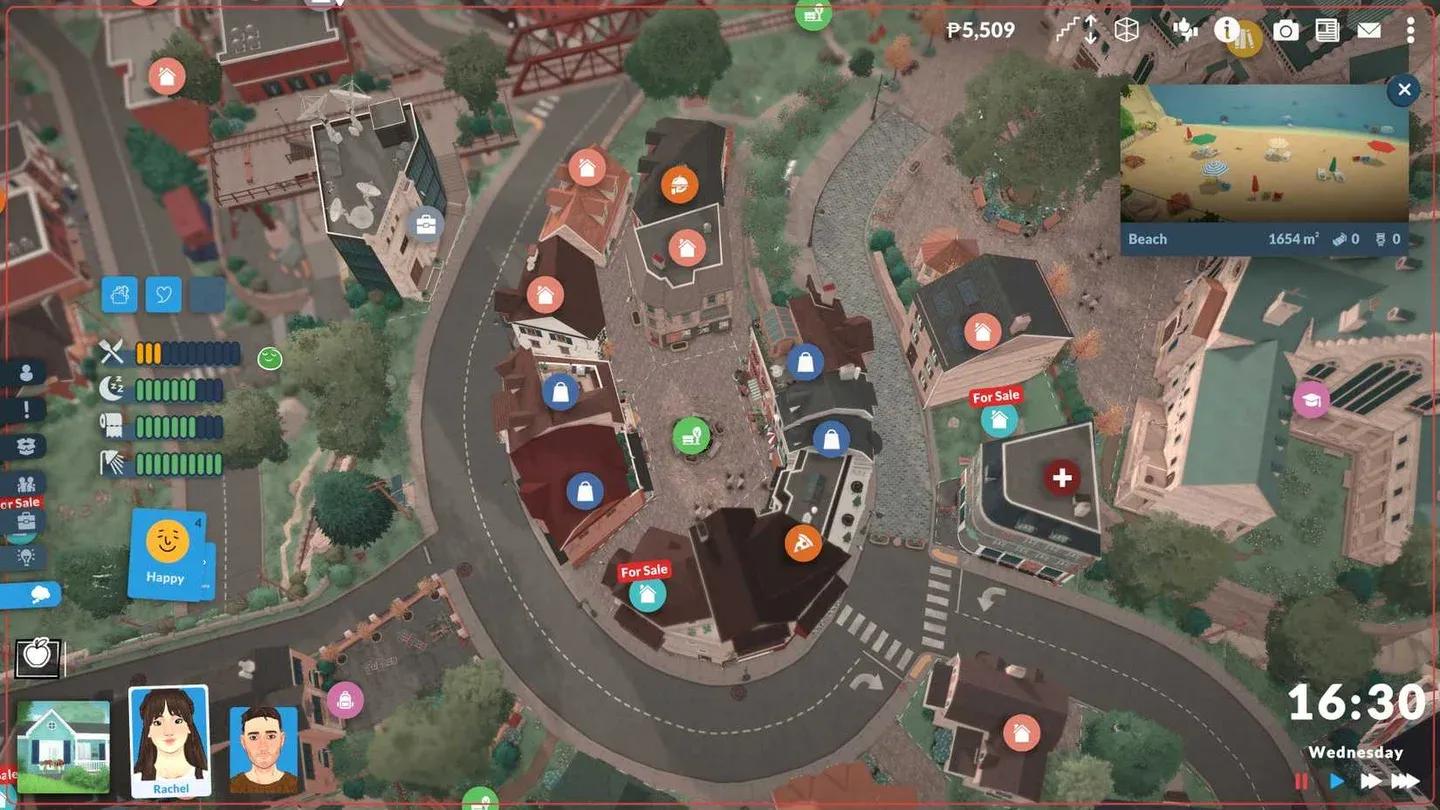
Neighbourhood map overview
If you want to own only one property after moving, stay in the bird's eye view and select your previous lot. The pop-up will display a "Sell this lot for" option followed by the sale price. Clicking it completes the sale and removes the lot from your ownership.
Be aware that selling the lot as a whole means your furniture stays behind in it. If that is not what you want, use the "Sell all walls and items on this lot" option before completing the full lot sale.
From the same bird's eye lot menu, you also have access to a few other useful actions:
Sometimes you do not want everyone moving together. Splitting a household lets specific Paras branch off into their own living situation without the whole group relocating.
To do it, zoom out to the bird's eye view and click the green house icon representing your active household. Select "Split Household" from the right-hand menu. A pop-up will open where you choose which Paras move out and how much money from the shared Paradime pool transfers with them. Zero is a valid amount if you want them to start with nothing.
Once you confirm with the tick mark, the selected Paras leave your active household. You may need to manually switch back to your original household depending on who you want to continue playing.
If you want to jump over and play as a completely different household rather than moving your current one, the process is straightforward. Zoom out to the world map, locate the household you want to control, click their icon, and select "Switch to this household."
Spotting a lot that already belongs to another household takes a bit of extra work. Here is the process step by step:
Moving houses connects naturally with a lot of other systems in the game. If you are building from scratch after relocating, the Paralives Build Mode guide for beginners covers every tool you will need to construct a new home on an empty lot. And if household management is on your mind, knowing how to disable aging can give you more control over your Paras' life stages while you get settled.
For everything else the game throws at you, the full Paralives guides collection has you covered, from fires to relationships to skill levelling.