The Hollow Halloween event on Roblox packs in a lot of free rewards, but the Ghost Launcher Prizes stand out as some of the most sought-after collectibles this year. There are 4 unique ghost shoulder pals to collect, each tied to a different type of Roblox account holder. None of them drop from quests or puzzles. Instead, you need to find the right people playing the event and join their server. Here's exactly how to track down all four.
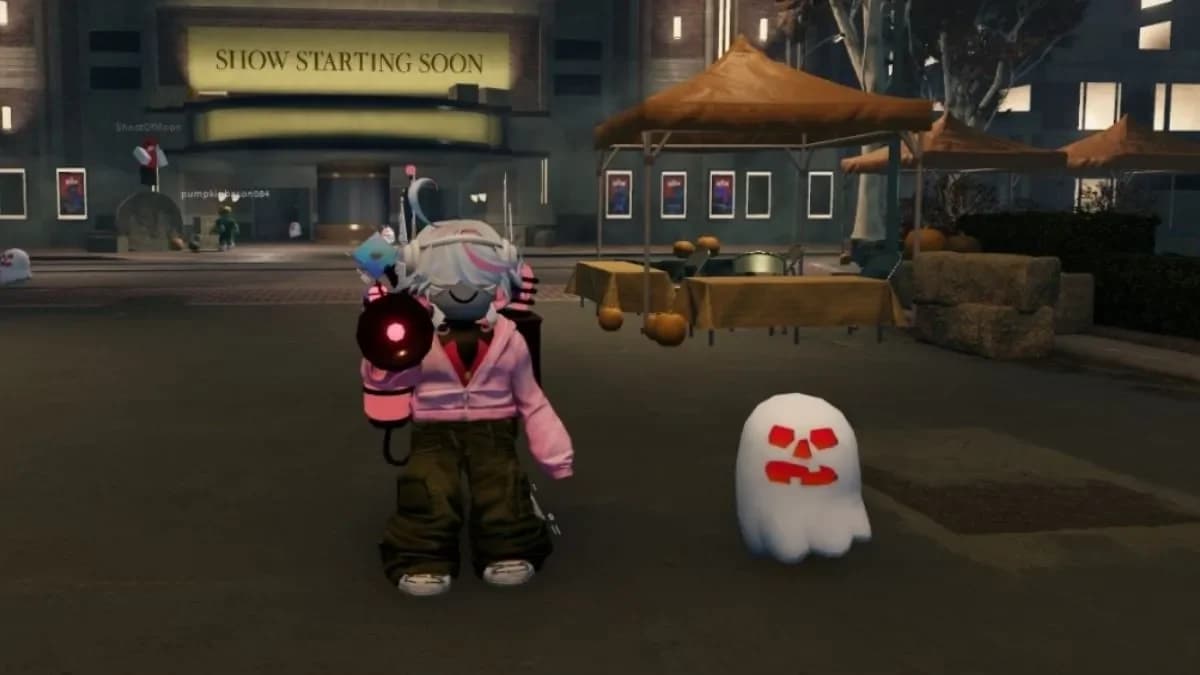
All 4 Ghost Launcher prizes
What are the Ghost Launcher Prizes in The Hollow?
The Ghost Launcher Prizes are limited-time shoulder accessory items exclusive to The Hollow Roblox event. Each ghost has a distinct color combination, and you earn them by joining a server where a qualifying account holder is actively playing. There are 4 ghosts in total, each tied to a specific Roblox account type:
| Ghost Name | Colors | Required Account Type |
|---|---|---|
| Spotlight Specter | Yellow body, purple face | Roblox Star Creator |
| Phantom In The Code | Black body, white face | Twin Atlas Developer |
| Incorporeal Incorporated | Dark blue body, light blue face | Roblox Admin |
| Little Plus-tergeist | White body, red face | Roblox Plus subscriber |

How to get the Spotlight Specter Ghost Launcher
The Spotlight Specter is the yellow ghost with a purple face, and it drops from Roblox Star Creators (also called Video Stars). To find one, go to the Roblox Video Stars community page and open the full member list. This shows every creator who holds the Video Star designation.
Scroll through the list and click on individual profiles to check their current activity. Activity shows up on the right side of a player's profile page, just below their banner. If any Video Star is currently playing The Hollow event, join their server immediately.
How to get the Phantom In The Code Ghost Launcher
The Phantom In The Code is the black ghost with a white face. This one comes from developers who worked on The Hollow event, including programmers, designers, and artists. Head to the Twin Atlas community page on Roblox and filter the member list by the Developer role.
Check each developer's profile to see if they're currently in The Hollow. If one is active, join their server. A secondary method: open the Community tab for any game featured in the event (such as WARDEN) and filter members by the Admin role to spot active developers that way.
How to get the Incorporeal Incorporated Ghost Launcher
The dark blue Incorporeal Incorporated ghost with a light blue face requires a Roblox Admin in your server. Visit the Official Group of Roblox community page and use the member list to identify admins. To confirm someone is a Roblox Admin, open their profile and look for the official Roblox icon displayed next to their username.
Once you spot an admin who is actively playing The Hollow, join their server as fast as possible. Admin slots fill up quickly.
How to get the Little Plus-tergeist Ghost Launcher
The Little Plus-tergeist is the white ghost with a red face, and it's the most accessible of the four if you already have a Roblox Plus subscription. This is the first time a Roblox Plus subscriber has been able to distribute a Ghost Launcher Prize, making it a genuinely novel reward type for this event.
If you're a Roblox Plus member yourself, you can give this ghost out to other players in your server. If you're not subscribed, find a Plus subscriber playing The Hollow and join their game to claim it.
How to get all 4 Ghost Launcher Prizes at once
Tracking down four separate account types across different servers is a grind, especially with long queue times. The shortcut is finding a Roblox Star Creator who has also set up their server to include a Developer and an Admin. When all three types are present in one session alongside a Roblox Plus subscriber, you can collect all 4 ghosts without server hopping.
Search for active Video Stars on the Roblox Video Stars community page who are livestreaming The Hollow. Some creators specifically organize these multi-ghost giveaway sessions, so checking live content from Star Creators is worth the time investment.
Tips for reducing queue time
The biggest obstacle with Ghost Launcher Prizes isn't knowing where to look. It's actually getting into the right server before it fills up. A few things that help:
- Check qualifying players' profiles during off-peak hours when server competition is lower
- Prioritize Video Stars who are actively streaming, since they tend to run dedicated event sessions
- Filter the Twin Atlas member list by Developer role rather than browsing all members to cut down search time
- Keep the Official Group of Roblox member list open and refresh it periodically to catch admins who just logged in
For more on what's available across The Hollow this year, the full confirmed and rumored games list for The Hollow 2026 covers every participating title. If you're also chasing the event's UGC items and badges, the complete UGC items, badges, and puzzle solutions walkthrough covers all 9 nights in detail. For the Night 1 relic specifically, the Lord Umberhallow Bloxikin guide walks through every Missing Piece location and the Floor 1 puzzle solution.
There's plenty more to collect across The Hollow beyond these four ghosts. Browse the full Roblox guides collection for walkthroughs on every event reward still up for grabs.