

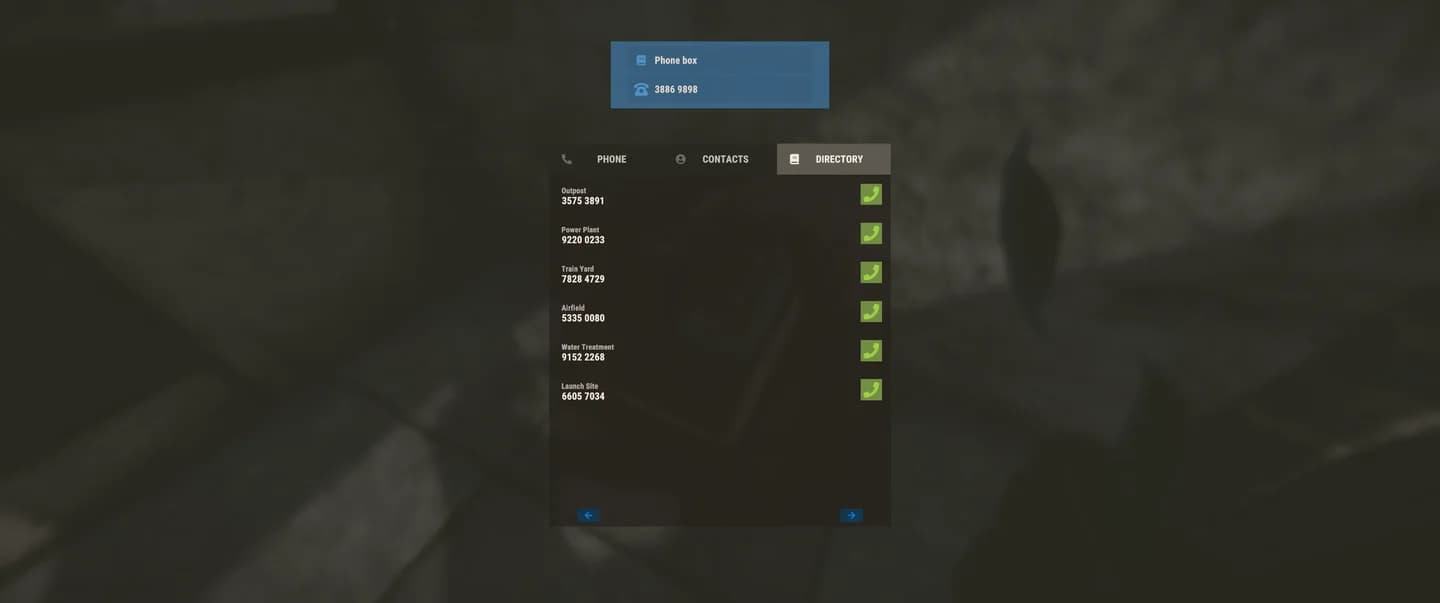
To use Rust NPC phone conversations, open a telephone’s directory and call the entry for the information you need.
Printed and Polished added four numbers for these NPC-style calls. Their dialogue is separate from the conversations you can start with NPCs in person. Choose the service that matches your immediate task, such as checking conditions before travelling, timing a vendor visit, or looking for accommodation.
Where do you find the four new conversation numbers?
The four numbers are in the phone directory. Use the directory to choose the subject you want to ask about, then call its number to start the conversation.
| Information you need | Conversation to choose | What the reply provides |
|---|---|---|
| Upcoming weather | Weather | A mostly reliable forecast |
| Power-grid condition | Power grid | The grid’s current status |
| Travelling vendor timing | Travelling vendor | The vendor’s event countdown |
| Apartment vacancies | Apartments | The number of available rooms |


How to start a phone conversation
- Access a telephone and open its phone directory.
- Find the number corresponding to your question.
- Call that number to begin its NPC-style dialogue.
Use the topic descriptions above to choose your call. They describe each service’s purpose, not exact directory labels.
Choose the right information line
How do you get a weather forecast by phone?
Call the weather number and use the forecast when deciding whether to begin an outdoor trip or wait for different conditions. Treat the reply as planning information, and keep enough flexibility to respond to the weather you encounter.
For an Arctic trip, check your cold protection before leaving as well. Rust’s Wool Armour Insert guide explains the Workbench Level 1 insert that adds cold resistance.
Plan around the weather report
How do you check the power grid’s current status?
Call the power-grid number from the directory and read its status response. Make this enquiry when the grid’s condition affects the task you are about to start.
Because this call answers a question about the grid’s current status, check it close to the time you need the information. If you return to the task later, make a fresh enquiry instead of relying on an old response.
How do you check the travelling vendor’s event countdown?
Call the travelling vendor number to read the event countdown. Use the remaining time to decide whether to prepare for the vendor or finish another task first.
Does a server restart reset the event schedule?
After reconnecting, use the phone enquiry when you need to plan around the vendor. The countdown is a better basis for that decision than measuring time from the server’s restart.

Read the vendor event countdown
How do you find available apartment rooms?
Call the apartment number to get the vacancy count. Use the answer to decide whether to make an apartment visit, especially when accommodation is the reason for your trip.
Make this check close to when you plan to go. If you postpone the visit, call again before leaving so your decision uses a fresh room count.