
The Frozen Trail update brought a lot to ARC Raiders, and the Camera gadget is one of its more unexpected additions. Embark Studios noticed players going out of their way to capture the world topside, so they made it official. Now there are two Camera variants, a quest that hands one to you for free, and a full photo mode complete with selfie support. Here's everything you need to get one and start shooting.
How do you get the Camera gadget in ARC Raiders?
There are four ways to get a Camera, and one of them costs nothing.
- Found as loot inside containers, cupboards, and standard loot spots across the map
- Purchased from Shani (Security vendor): Basic Camera costs 1,900 coins, Advanced Camera costs 3,000 coins
- Earned for free by accepting Celeste's "Sizing Things Up" quest
- Taken from another raider by eliminating them while they're carrying one
If you're just starting out and want to try photo mode without spending coins, grab the Sizing Things Up quest from Celeste first. It's the fastest zero-cost path to your first Camera.

ARC Raiders Guide: How to Get the Camera Gadget

How to craft the Camera in ARC Raiders
Both Camera types have craftable blueprints, which means you can manufacture as many as you need rather than relying on loot RNG or vendor stock.
Crafting the Basic Camera
The Basic Camera blueprint is unlocked automatically when you start the game, so no extra steps are required before you can craft it. Head to any Workbench (no upgrade level required) and gather these materials:
| Resource | Quantity | How to obtain |
|---|---|---|
| Plastic Parts | 8x | Craft, recycle, scavenge, or buy from Celeste |
| Wire | 1x | Craft, recycle, scavenge, or buy from Celeste |
Once you have the materials, select the Basic Camera at the Workbench and hold E to craft it. Both resources are easy to come by early, so this is a reliable way to keep a Camera stocked without burning coins.
Crafting the Advanced Camera
The Advanced Camera requires more legwork before you can even start crafting. You need to unlock its blueprint by completing the Topside Living Conditions quest, which is part of the Outpost setup questline. After that, you'll need a Utility Station at level 2 or higher to actually craft it.
The materials are harder to source because two of them can only be found in specific locations:
| Resource | Quantity | How to obtain |
|---|---|---|
| Camera Lens | 1x | Scavenged from topside only |
| Calculator | 1x | Scavenged from Pendola Pass map only |
| Electrical Components | 1x | Craft, recycle, or scavenge from topside |
With all three materials collected, go to your level 2 Utility Station, select Advanced Camera, and press E to craft it.
How to use the Camera and access photo mode
Equipping the Camera and entering photo mode takes a few steps since the gadget needs to be in the right slot first.
- Move the Camera to your Quick Use slot in your inventory.
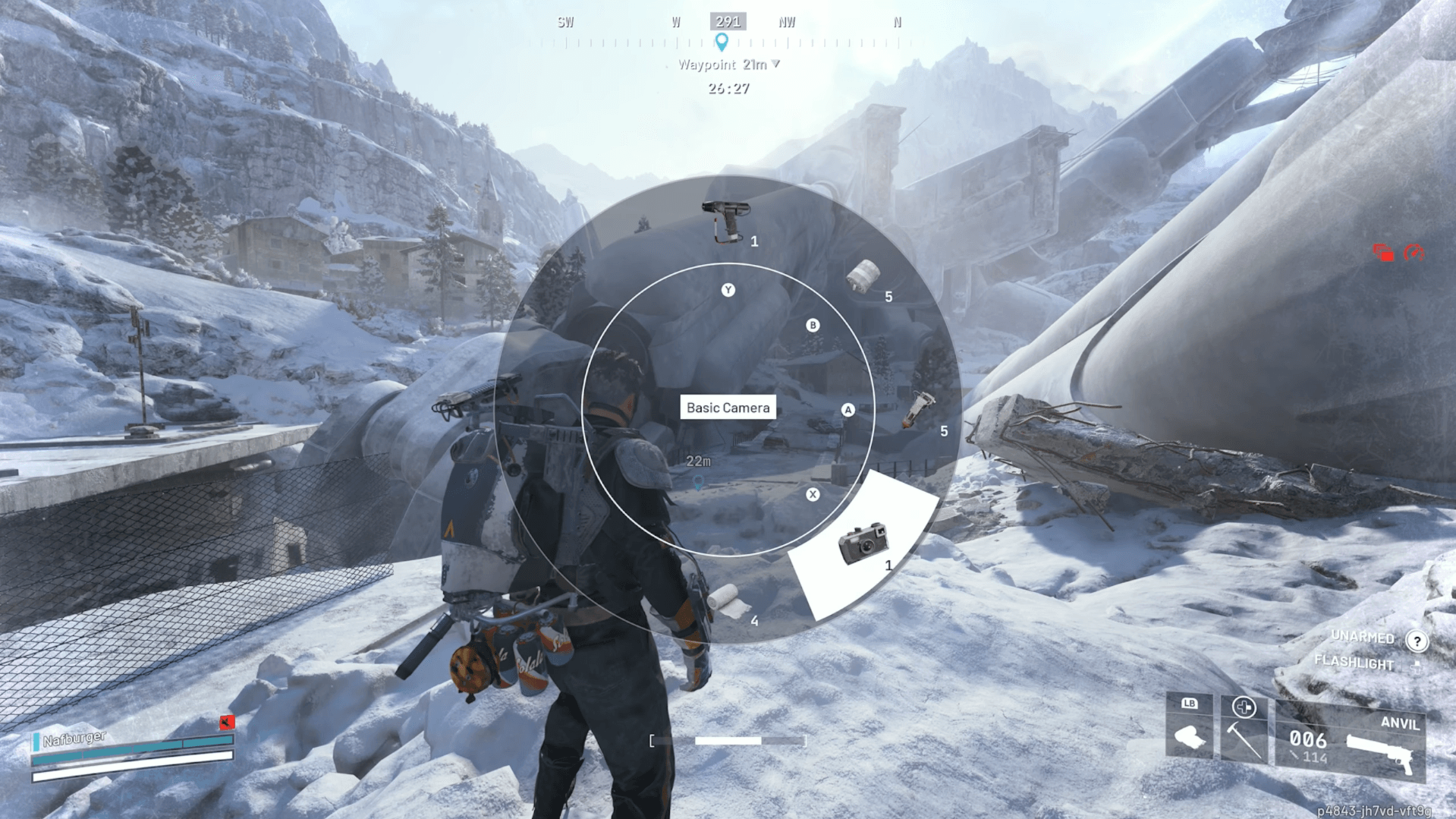
- Hold Q to open the gadget selection wheel, then select the Camera.
- Press the right mouse button to aim and enter Photo Mode.
- Click the left mouse button to take a photo.
- Press R to toggle Selfie Mode and flip the camera toward your character.
Both the Basic and Advanced Cameras support selfie mode, so you can get your raider in the frame regardless of which version you're carrying.

ARC Raiders Guide: How to Get the Camera Gadget
Staying safe while using photo mode
The Camera is a gadget slot item, which means equipping it takes up space that could otherwise hold something defensive. Before pulling it out, make sure the area is clear. Photo mode locks your view into the camera perspective while you're aiming, and that's not a position you want to be in if a patrol is nearby.
For players still learning the game's threats, the ARC Raiders guide on how to beat every ARC covers each robot type in detail so you know what to watch for before you lower your guard for a screenshot.
If you're planning a dedicated photo run, coordinate with your squad to cover you, or wait until you're extracting and the path is clear.
More ARC Raiders guides
The Camera is just one of several new gadgets that arrived with the Frozen Trail update. If you're working through the update's content, check out the full ARC Raiders guide collection for walkthroughs on quests, crafting, and everything else the update added.