Search games, articles, guides...CtrlK
Sign InGet Started

Get the free Sierra Outfit for Dylan Faden by watching 4 hours of Control Resonant streams before October 13.
See more GAMES.GG stories on Google
Enjoyed this guide?
Add GAMES.GG as a preferred source and Google will show you more of our guides and news when you search.
updated
September 23rd 2026
posted
September 23rd 2026
CONTROL Resonant launched September 24, 2026, and Remedy Entertainment is marking the occasion with a free cosmetic giveaway that requires nothing more than watching streams. The campaign runs from September 22 through October 13, and by the end of it you can walk away with a complete three-piece outfit for protagonist Dylan Faden without spending a single dollar. Here is everything you need to know to claim all three rewards before the deadline.
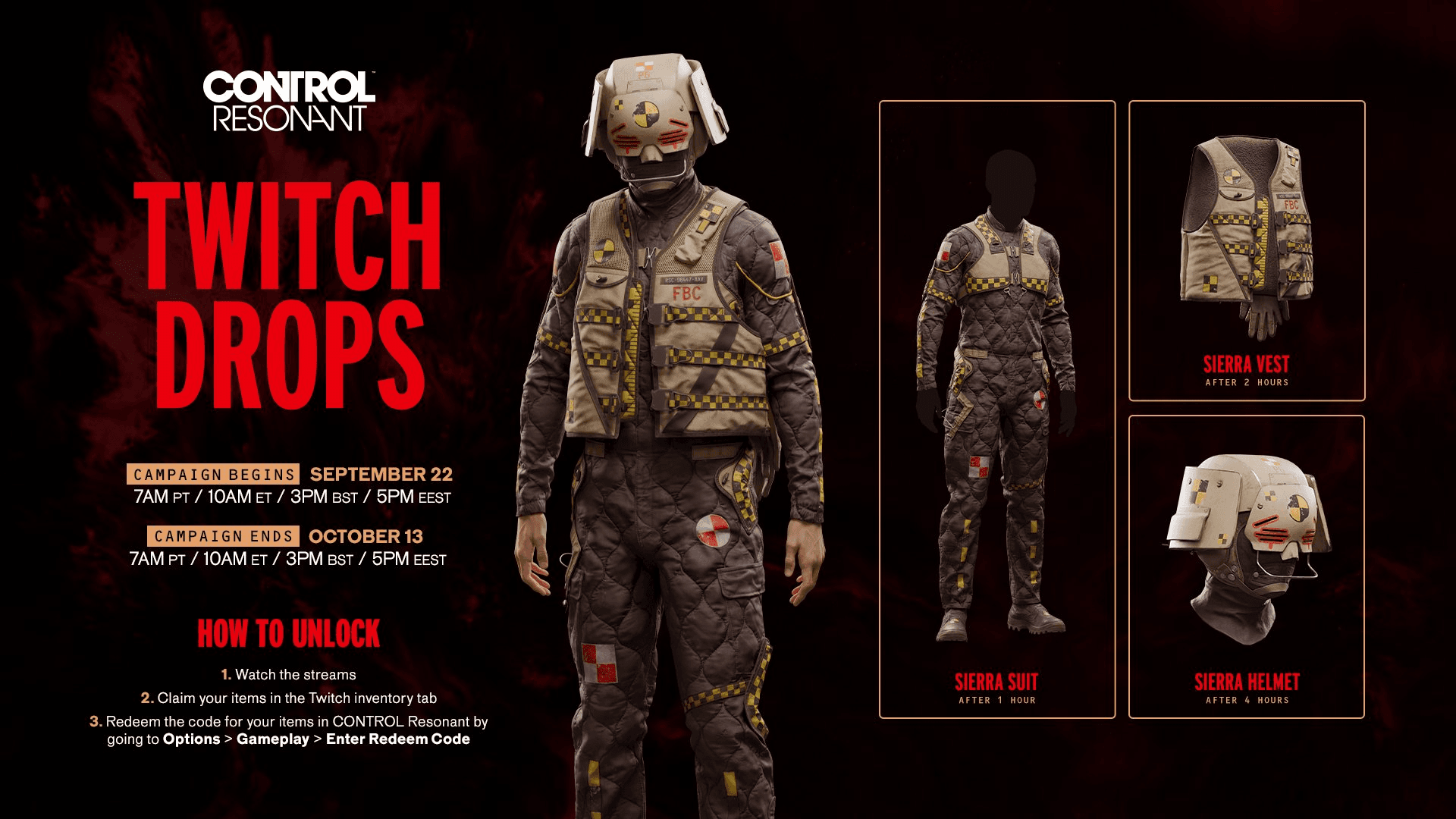
The campaign gives away the Sierra Outfit, a three-piece cosmetic set for Dylan Faden. Each piece unlocks at a cumulative watch-time milestone, so you do not need to sit through everything in one sitting. Watch time stacks across all qualifying streams during the campaign window.
| Reward | Watch Time Required |
|---|---|
| Sierra Suit | 60 minutes (1 hour) |
| Sierra Vest | 120 minutes (2 hours) |
| Sierra Helmet | 240 minutes (4 hours) |
Rewards must be claimed sequentially from your Twitch Drops inventory. Once you claim the Sierra Suit after the first hour, progress toward the Sierra Vest begins tracking automatically. The same applies when you claim the Vest before the Helmet counter starts.
Control Resonant Twitch Drops Guide: All Rewards & How to Claim
The campaign opened on September 22, 2026, at 7:00 AM PT / 10:00 AM ET / 3:00 PM BST / 5:00 PM EEST and closes on October 13, 2026, at the same times. That gives you just over three weeks to accumulate your 4 hours, which is very manageable even if you only catch streams occasionally.
Head to the Control Resonant category on Twitch and look for any live stream. To confirm a channel has drops enabled, click the purple chest icon located directly under the chat box. It displays all active drop campaigns for that channel. Select the Watch Drops category and you will see the full Sierra Outfit reward list alongside a bonus "Don't Eat the Mold" Twitch badge.
Any live broadcaster streaming under the CONTROL Resonant category with drops enabled will count toward your cumulative watch time, so you can hop between channels freely.
The process splits into two steps: claiming from Twitch, then redeeming in-game. Unlike many games that tie drops directly to a linked account, Control Resonant delivers individual codes per item.
Repeat this for each of the three outfit pieces as you hit the 1-hour, 2-hour, and 4-hour thresholds.
No. Control Resonant Twitch Drops do not require you to link a Remedy account or any third-party account to Twitch. Just watch, claim from your Twitch inventory, and redeem the code directly in the game's Options menu. That is the full process.
Four hours spread across three weeks is a low bar, but it is worth having a plan. Check the Control Resonant exact release date and start times guide if you want to time your viewing around launch streams, which typically pull the largest audiences and the most active drop-enabled channels.
If you are still deciding whether to buy the game outright, the Control Resonant pre-order editions and bonuses guide breaks down every version and what each includes. And if you are on PC and want to get the client downloaded ahead of time, the Control Resonant preload guide has file sizes and preload dates for every platform.
For everything else, the full CONTROL Resonant strategy guides collection covers mechanics, quests, and more as the game rolls out.