
Modules in Probably Stolen are upgrades you slot into a machine to make it faster, cheaper to run or better at what it makes. Here's how they work and which to get for each machine.
Key takeaways
- Every module changes Performance (speed), Efficiency (power use) or Quality (output), and some machines only get part of the bonus.
- Most machines start with 26 usable cells, and two Module Bay Expansion Kits open all 35.
- Get a Module Extractor before you try a module that can get stuck, like the Chemical Equipment Module.

What do modules do in Probably Stolen?
Modules go in a machine's module bay and change one or more of three stats. Performance increases processing speed, Efficiency reduces power use, and Quality improves what the machine produces. Bonuses from every module in the bay are added together.
Here's the maths. A machine with +40% Performance runs at 140% speed, and +25% Efficiency cuts its power use by 25%, down to a minimum of one. Negative Efficiency does the opposite and pushes the power bill up.
Not every module fits every machine. Universal modules work across compatible equipment, while specialised ones are made for specific machines, such as printers, furnaces, farms, DNA machines, evaporators, alarms and chemistry equipment.
The machine tells you what it wants, too. When I had a Mirage Projector in the demo, its own how-to note said which module does what. An Efficiency module cuts its power use, and Performance and Quality modules raise the attractiveness it adds.
Which modules are there?
Here are the standard modules. The numbers are base values, not shop prices.
- Performance Module: +16% Performance. 70 credits.
- Efficiency Module: +16% Efficiency. 70 credits.
- Quality Module: +8% Quality. 70 credits.
- Overclock Module: +36% Performance, -44% Efficiency. 100 credits.
- Eco Module: -16% Performance, +32% Efficiency. 100 credits.
- Refinement Module: -8% Performance, -15% Efficiency, +25% Quality. 100 credits.
- Streamlining Module: +8% Performance, +25% Efficiency, -16% Quality. 125 credits.
The +16% matches what I saw in the demo, where I put a Performance Module in my Mirage Projector for +16%.
Then there are the odd ones. Overcharged modules have doubled stats but a 10% chance of becoming ruined each time they're used. Ruined Modules can't be repaired, but you can take them apart with a Screwdriver for materials. The Corrupted Module, brought in by the Scavenger, gives -8% Performance and -5% Efficiency. Electronic Parts turn a Corrupted Module into a random standard module, so it's worth fixing rather than installing.
Which module should you put in each machine?
These are the best modules for each machine:
- Furnace: Quality, Refinement, Efficiency, for higher ingot purity and lower power costs.
- Moisture Farm: Performance, Quality, Refinement.
- Water Purifier: Performance, Quality, Refinement.
- 3D Printer: Performance, Efficiency.
- Hydroponic System: Performance, Quality, Refinement.
- Cryptographic Desequencer: Performance, Overclock, Efficiency, for faster keycard encoding.
- Security Alarm System: Performance, Efficiency.
- Evaporator: Performance, Quality.
- AgeWell: Quality, Efficiency.
- Mirage Projector: Performance, Quality.
- DNA Manipulator: Performance, Quality, Efficiency.
Two of those come with a hard number. The Security Alarm System gives 100% theft protection at 49 Performance, which means you no longer need insurance. Quality of 100% or more on the Water Purifier unlocks the 99.9% purity cap you need for Pure Water.
The furnace is the one to watch. The Performance Module has no effect on the furnace. I mainly stuck to the furnace in the demo, because I couldn't afford or fit most of the other machines. If that's you too, don't waste a Performance Module on it.
In the demo, I put one in the furnace on my first run. After that, my module went in the Mirage Projector.
Which machines don't get the full bonus?
This is the detail that changes which module is worth buying. Some machines only apply part of certain stats:
- 3D Printer: Quality counts at 25%.
- Mirage Projector: Performance counts at 25%, Quality at 50%.
- DNA Manipulator: Performance and Quality count at 50%.
- Hydroponic System: Performance and Quality count at 50%.
- AgeWell: Performance and Efficiency count at 50%.
So +40% Quality on a 3D Printer is only worth +10%. That's why the printer's best picks are Performance and Efficiency, not Quality. On the Mirage Projector, my +16% Performance Module only counted for a quarter of that.
You can see this in the game. My projector's tooltip in the demo read "Performance +16% (Ratio 0.25)". That was the only module in it, and there was space for a lot more.
Efficiency has its own catch. One Efficiency Module can leave a machine's energy cost unchanged, and adding a second can finally save a unit of power. On low-power machines, check the number actually moves before you spend the space.
How do Module Bay Expansion Kits work?
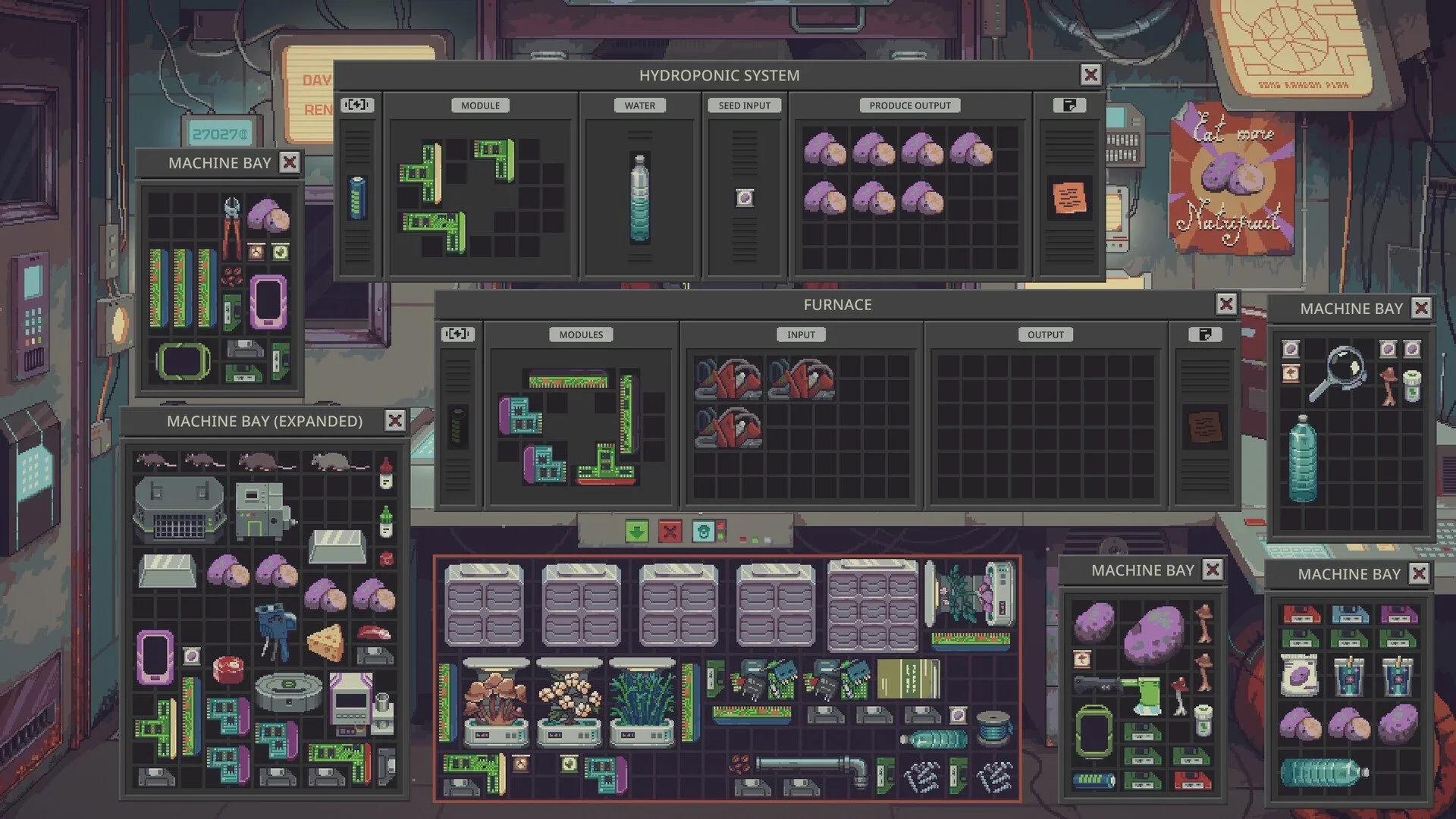
A standard module bay is a 7 by 5 grid, 35 cells, but you can't use all of it at first:
- Stage 1: 26 usable cells. The four corners and a plus shape in the middle are blocked.
- Stage 2: 31 cells. Only the corners are blocked.
- Stage 3: all 35 cells.
Each Module Bay Expansion Kit opens the next stage, so a machine needs two kits to reach 35. Each expansion also raises the machine's value by 100 credits.
Modules come in different shapes, so you'll need to rotate them to fit. Q, E or the mouse wheel rotates a module. In the demo, Q and E rotated items for me and F flipped them. The first expansion helps most, because it opens up the blocked middle of the grid.
Don't expand an empty machine, though. The extra space does nothing until you have modules to put in it.
Where do you get Module Bay Expansion Kits?
Dr. Jackson sells them. He has a 20% chance of offering kits per visit, with extra rolls from Day 20 and Day 40, and Monday's Special Stock can have two. The developers lowered his markup on stock from 25% to 15% on Normal in hotfix 1.0.0.2. So on Normal, his kits cost less than they did on launch day.
The biggest batch comes from Serpico. One of the rewards in Serpico's storyline is four expansion kits, enough to fully open two machines.
For modules themselves, you can trade two unwanted modules for a random one at the Underground Exchange. That matches the directive I got in the demo, which listed "two modules for a new module" as a permanent exchange, once per night.
I never used it in the demo. I could never understand how it worked, if I'm honest. I really didn't grasp what I was meant to be doing.
Do you need a Module Extractor?
You need one if you want a stuck module back. Some modules get stuck once installed, like the Chemical Equipment Module, and an extractor is the only way to remove them without destroying them. The Chem Finisher uses that module, as our Reducing Agent guide explains.
There are two versions:
- Basic Module Extractor: 6 uses, 100 credits. An Electronic Part refills it, but each refill lowers its maximum uses by one.
- Advanced Module Extractor: unlimited uses, 350 credits.
The Basic one comes from the Retired Chemist, Supplier, Supply Runner, Scavenger and Revolution Raider. The Advanced one comes from the Rare Merchant, the Revolution Raider and Dr. Jackson, who stocks it 4% of the time.
The Basic is fine for a few swaps. The Advanced only beats buying Basics outright at 19 or more extractions, so get it if you move modules between machines a lot.
What about the Neural Core Module?
It's the big one, and it's contraband. The Neural Core Module (Uncapped) is Critical-Level Contraband, costs 1,500 credits and is sold by the Hypertech Smuggler. It gives +200% Performance and +100% Quality, but -100% Efficiency, so it doubles a machine's power use.
The Capped version is valued at 250 credits. Check the tooltip for its exact stats before you buy one.
Which modules should you get first?
Start with the basic three, because they're cheap and nothing gets cut. Put Performance on machines that are too slow, Efficiency where power is tight, and Quality where the product needs to be better. Check the reduced-bonus list first, and skip Performance on the furnace.
After that, expand the machines you actually use. Buy a Basic Module Extractor before you try anything that sticks. For the upgrades that unlock machines, like Water Trading, see our best early upgrades guide.
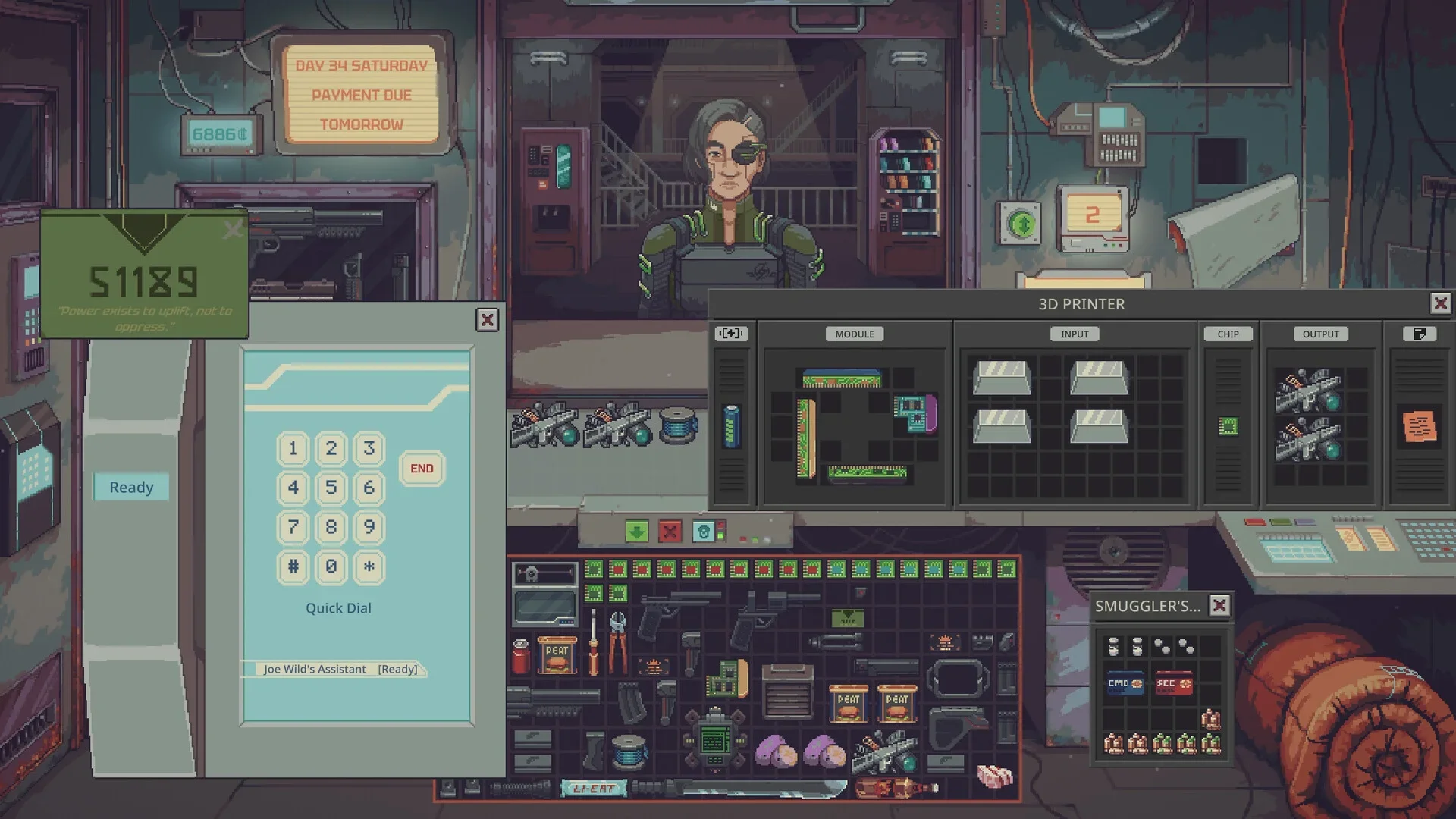
Some starts hand you machines on Day 1. The developers say the Hydroponic Farmer starts with hydroponic machines and the Aquafarmer with recirculating aquaculture systems, and the Gunsmith start comes with a 3D printer. Our best starting specialization guide compares the starts.
FAQ
How many cells does a module bay have in Probably Stolen?
35 in a 7 by 5 grid, but only 26 are usable at first. Two Module Bay Expansion Kits open the rest.
Where do you get Module Bay Expansion Kits?
From Dr. Jackson, Monday's Special Stock and a reward in Serpico's storyline that gives four kits.
How do you remove a stuck module?
Use a Module Extractor. The Basic one has 6 uses and the Advanced one has unlimited uses.
Does the Performance Module work on the furnace?
No. It has no effect on the furnace. Use Quality, Refinement or Efficiency instead.